
-
If your admin only recently added you to a shared mailbox, it may take a few minutes before the shared mailbox appears. Wait a bit and then close and restart Outlook again.
-
If that didn't work, then manually add the shared mailbox to Outlook:
-
Open Outlook.
-
Press the (…) button next to the Home button.
-
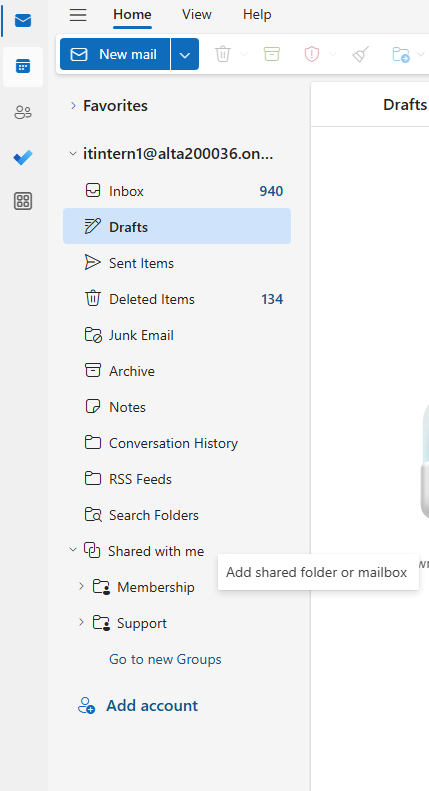
Look for the Shared with me option in the navigation pane and right click it.
-
Press Add shared folder or mailbox.
-
Type the shared email address, such as research@alta.org.
-
Choose Add
