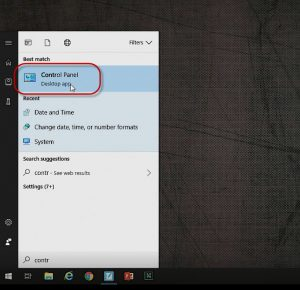
- Then navigate to Clock and Region – Date and Time.
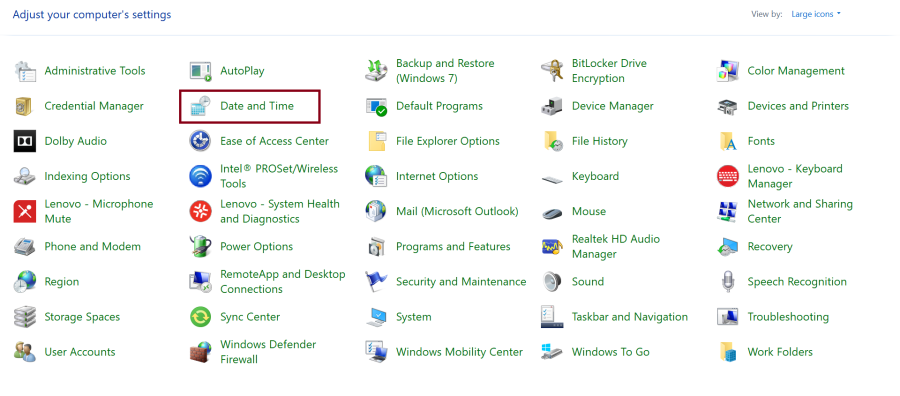
- Under Date and Time. we have the option to change today's date and time.
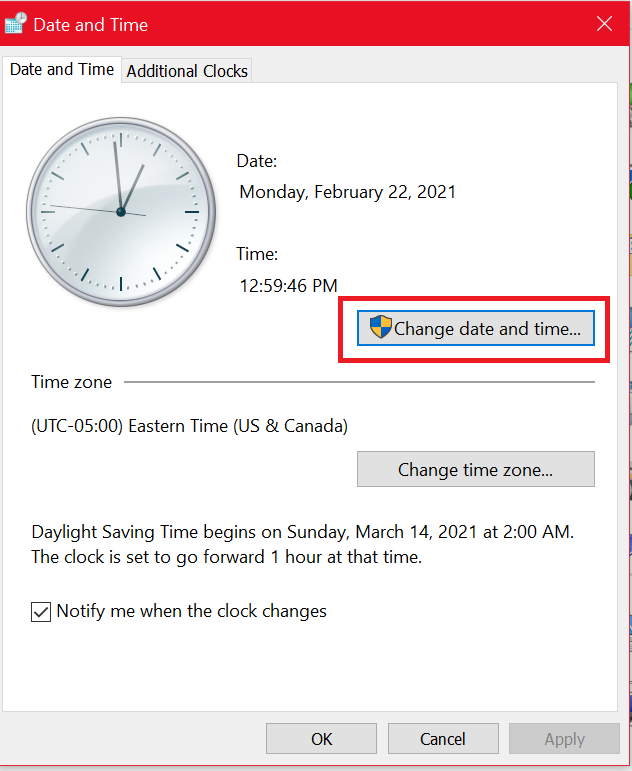
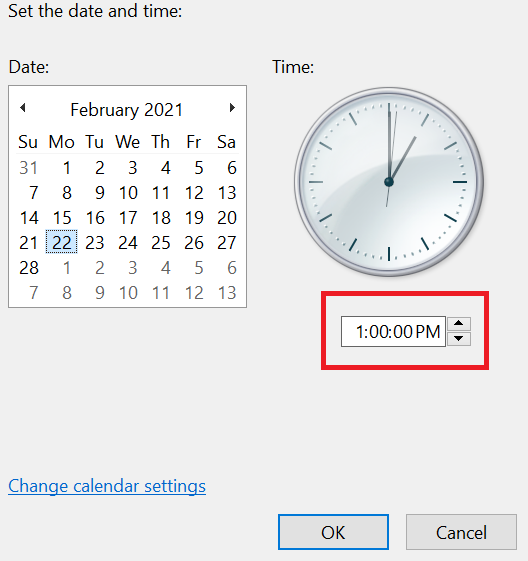
- You can set/change the time by clicking on the highlighted box.
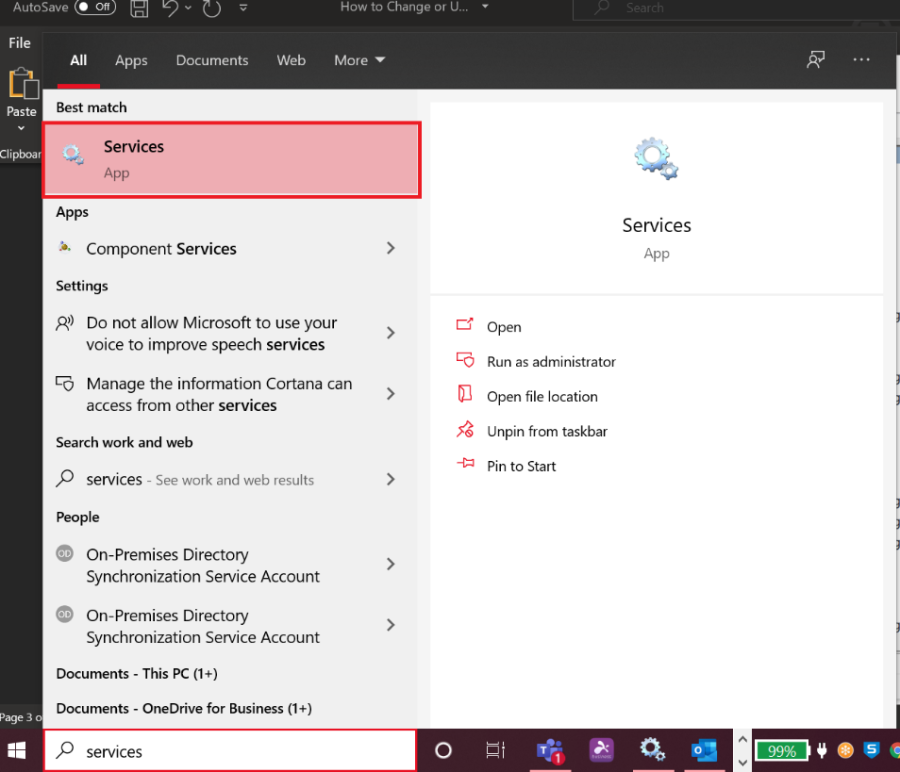
- Next, you can go to the windows search bar and type in "Services".
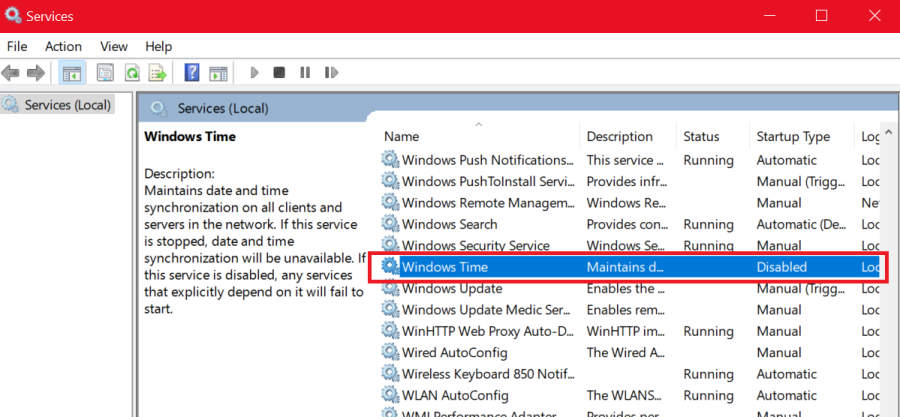
- In the Service app, scroll down to the bottom, locate and double clicking on "Windows Time".
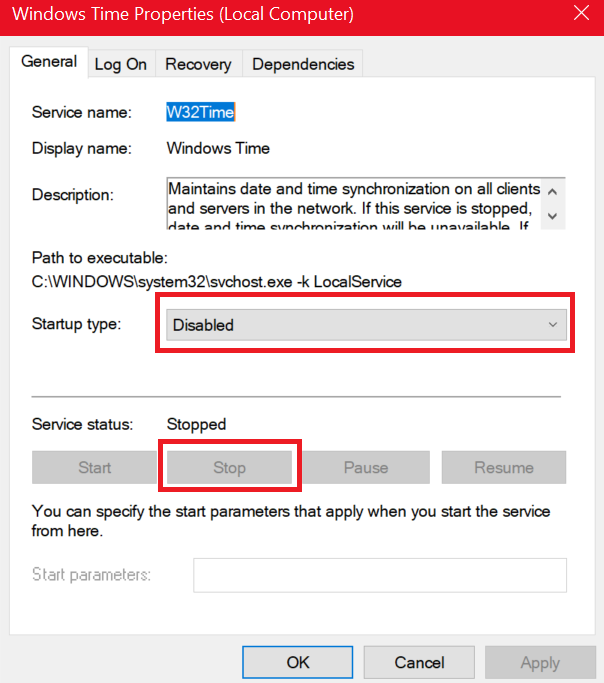
- In the Windows Time Properties, please choose the "Stop" button. Then, please select the drop-down option and choose "Disabled" option and click apply.
- Please restart your machine.
