
On the File tab, select Options > Mail > Signatures.
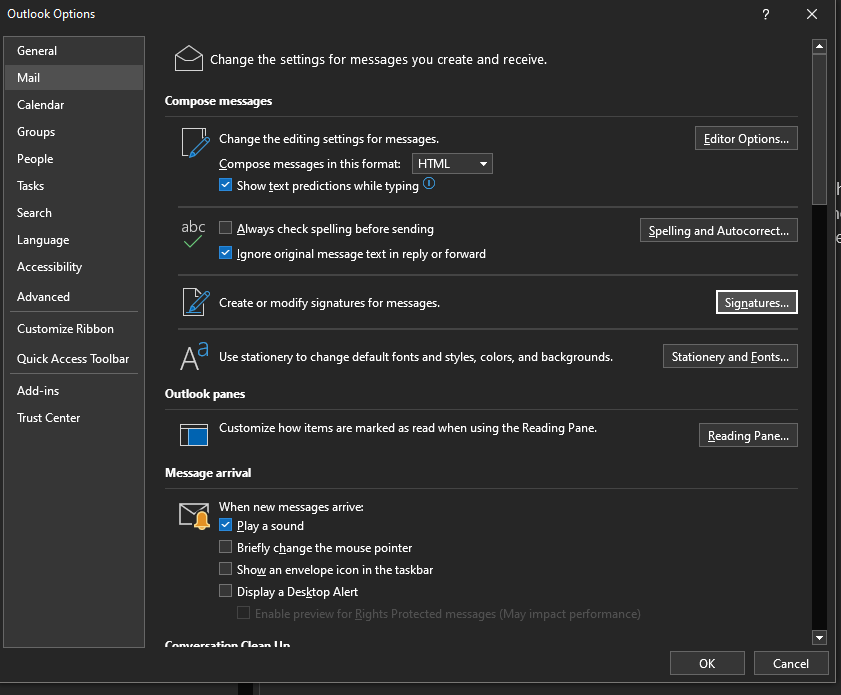
Select “New signature,” then give it a distinct name, “Primary Signature”.
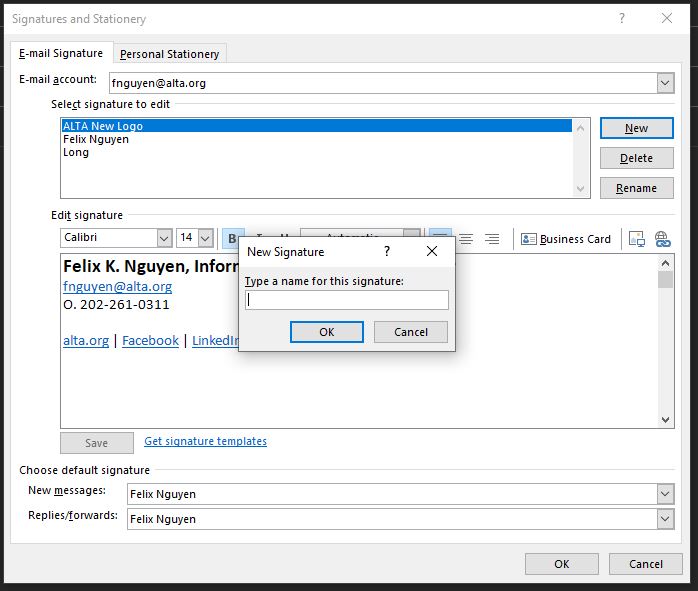
In the editing box below the new name, copy/paste your signature using the templates below. *Please only copy the template starting from Staff name and use this link to download and add the ALTA Logo to your signature block.
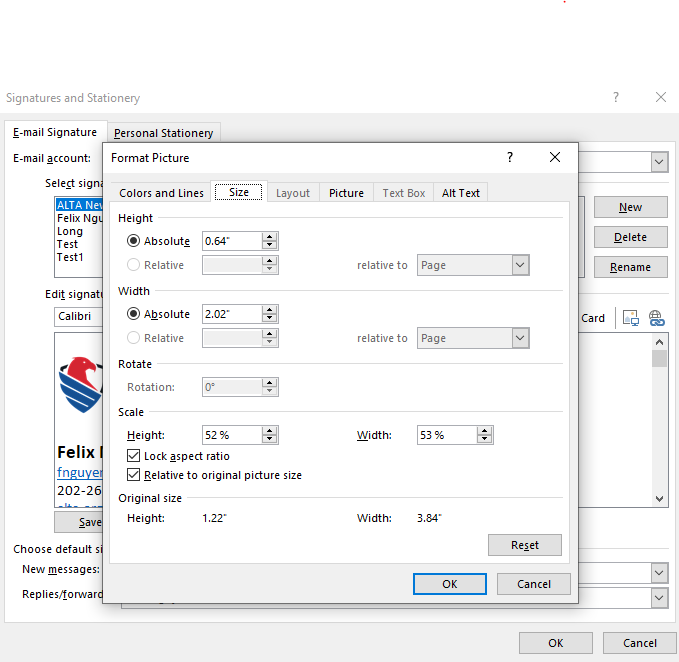
**After adding the logo, please right click on the logo and select Picture. Then click on the size tab and enter the dimensions as displayed in the screenshot. Click “OK” when you are done.
Additionally, please do not alter the signature block. You may choose not to use your mobile number if you prefer not to.
Primary Signature Style:

Staff Name, Title
O. xxx-xxx-xxxx
M. xxx-xxx-xxxx
alta.org | Facebook | LinkedIn | YouTube | Instagram
Optional Signature Style for Replies and Forwards:
Staff Name | Title | ALTA | email@alta.org | O. xxx-xxx-xxxx | M. xxx-xxx-xxxx | alta.org
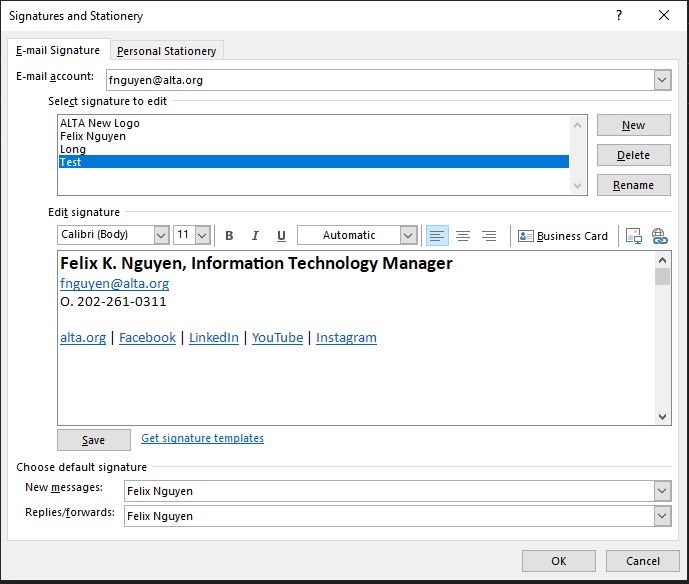
Select Save when you're done.
With your new signature selected from the list above the editing box, go to Select default signatures and choose whether to apply the signature to new messages and to replies and forwards.
Select Save again.
If you use the standalone Outlook platform and the Outlook web-based client, you will need to update your signature block on both platforms.
