What is the Phish Alert Button?
ALTA Information Technology department has launched a phishing alert button that allows you to report a potential phishing email via your Outlook desktop application. This will empower the Information Technology department to review the email and take immediate action. We ask you to report all phishing emails using the Phishing Alert Report button. The phishing alert button will not appear in third party mail applications, such as Apple's native mail application, or Gmail. We recommend that all ALTA staff utilize the Outlook mail application.
How do I use the Phish Alert Button?
-
Open your Outlook application.
-
Click on the email message you would like to report.
-
Click the Phish Alert Report button, shown below.
Note: If you do not see the Phish Alert Report button noted above, contact the us at itsupport@alta.org

Confirm that you want to report the email message as a phish on the pop-up that appears by clicking Phish Alert.
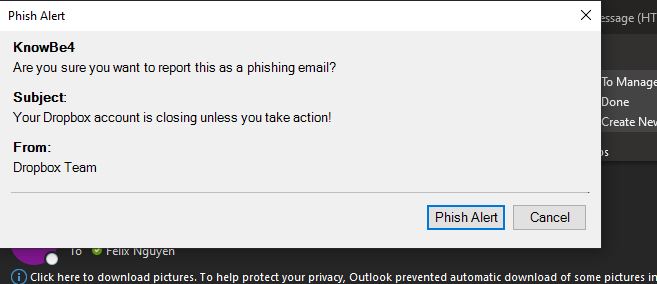
The message will be removed from your inbox and sent to us for reviewing. We will review the email and let you know if it is a phishing email and take the appropriate action.
