Call For Faculty
-
Contained in Meetings WordPress pages. There are 3 Pages that need updating
-
The FORM itself
-
The “Page” that hosts the form
-
The Call for Faculty landing page that describes the CFF process and links to the form (this is the page where we send people)
-
-
FORM: Update last year’s form with current year (EDge form can be updated for ALTA EDge; ALTA ONE can be updated for ALTA ONE)
-
Delete prior year’s entries (flat data from prior year is always saved to the GDrive)
-
Update topics (keeping Key Takeaways conditional logic in mind)
-
Update Responsibilities/Perks sections
-
Update Confirmations and Notifications
-
-
Form’s PAGE:
-
Each form in WP has a “Page” inside the structure
-
It is usually copied from the prior year and is in draft mode
-
Open the Page > Edit Gravity Form
-
Make sure the correct form is linked
-
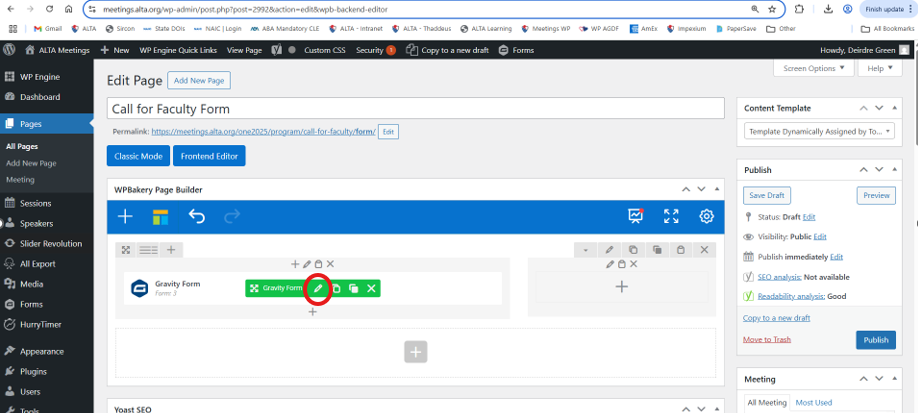
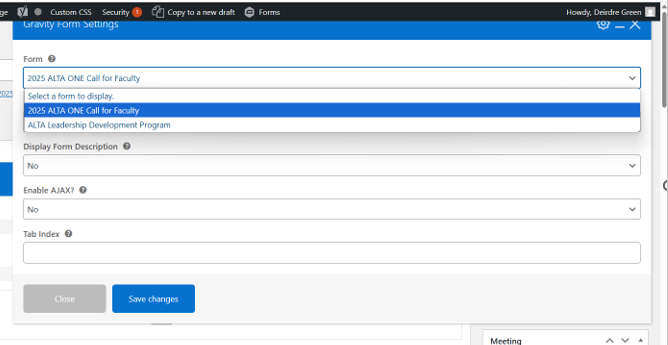
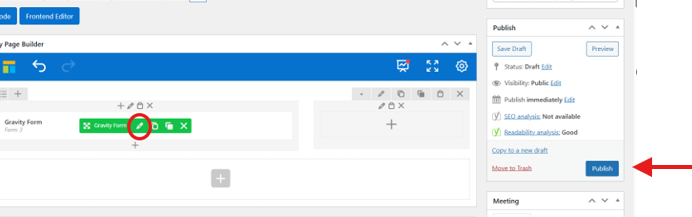
- Publish
-
Call for Faculty Landing Page
-
Update text with any new information or deadlines
-
Update the linked Areas of Expertise if that has changed (use Media Library)
-
Toggle On/Off different Rows of page
-
In Row Settings, the Visibility field should either be “Always Hidden” or ‘Always Visible”
-
This allows us to toggle on/off the “Closed” messaging and the “Open” messaging
-
-
Update Button at bottom to make sure it is pointing to the correct link/form
-
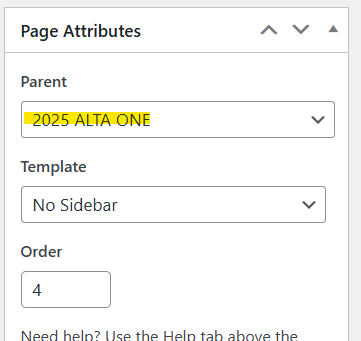
Make sure the page’s parent is the Meeting (and not a sub navigation)
-
-
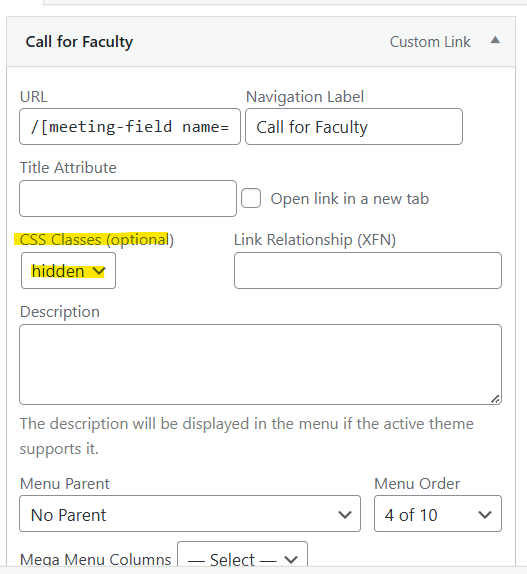
Add Call for Faculty Landing Page to the Navigation Structure for current year meeting
-
Appearance > Menus
-
Select Menu to Edit (must be in the correct meeting) > Select
-
Toggle between “hidden” (off) and blank (live)
-
-
Call for Faculty Announcements
-
Sent to Deirdre’s offline list
-
Sent by Communications team via eblast
-
Check all links, buttons, and navigation before sending
-
Test Form before sending
-
-
Export Call for Faculty Submission Data
-
Forms > Import/Export
-
Select Form
-
Select Fields (usually Select All)
-
Specify Date Range (if applicable)
-
Download Export File
-
Data is then merged into a document that formats the application so that ALTA staff and leadership can review the submissions
-
