
First, you can try compacting OST file to reducing size.
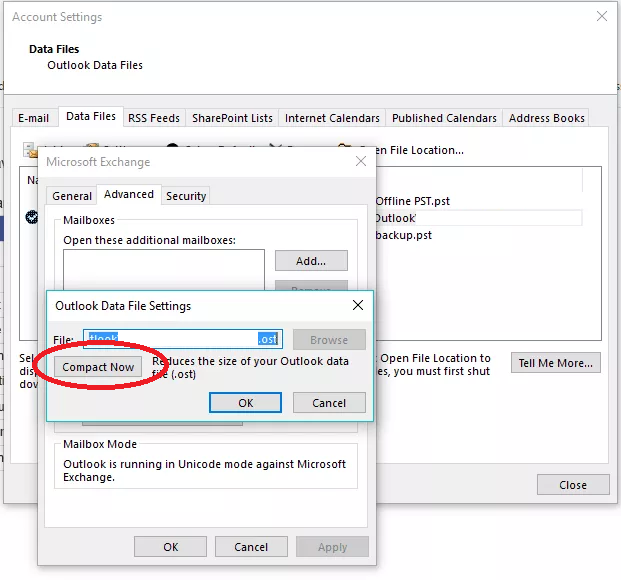
In order to solve this problem completely, you can use the following workarounds:
Clean up Mailbox
Click the File > Info and click on Tools beside Mailbox Settings
You can view current mailbox size by clicking on View Mailbox Size.
You can also find items order than or larger than and delete them to reduce OST file size.
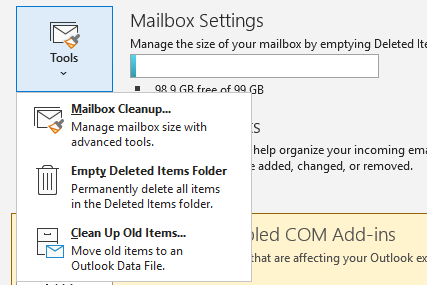
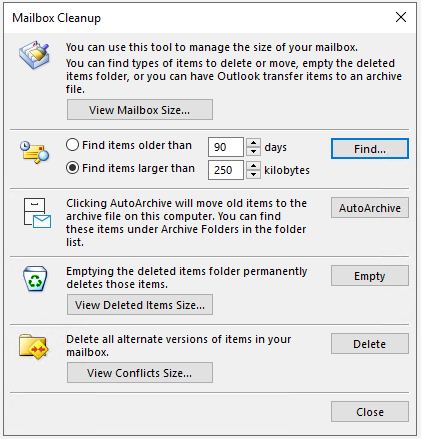
-
Instead of deleting older items, you may use Archive as an alternative.
-
Archive manually via Tools > Clean Up Old Items
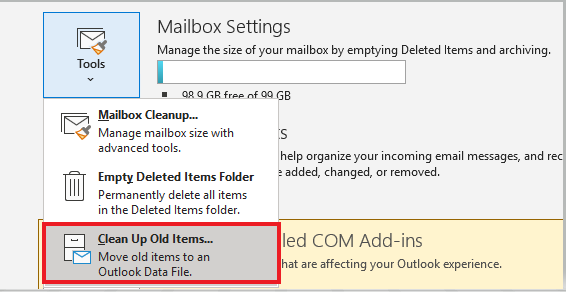
-
Archive automatically via File > Options > Advanced > AutoArchive Settings

