
OverviewOverview
The Dashboard Designer allows you to create dashboards using existing reports. Dashboards can contain up to eleven different parts of reports. Each piece of the dashboard is a synopsis of the data contained in each report. To open the Dashboard Designer, click the New drop-down arrow and select Dashboard**,** or hover over an existing dashboard and click Edit.
To locate this screen, navigate to System > Report Writer.
Field_DescriptionsField Descriptions
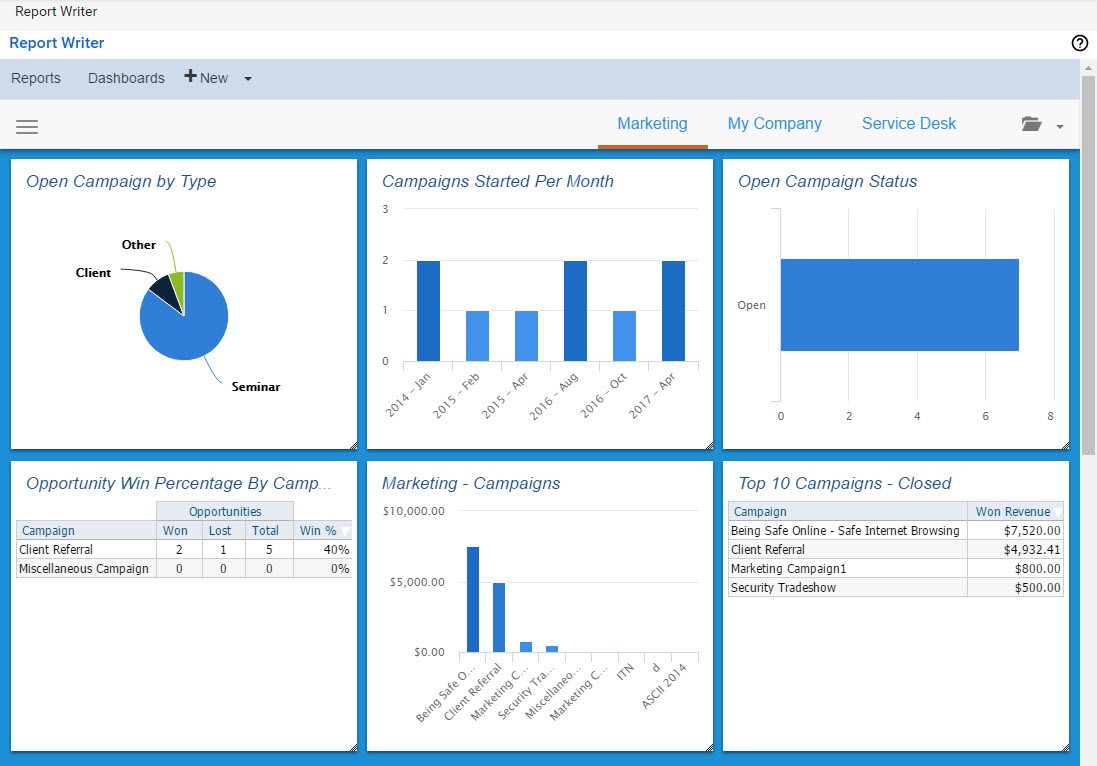
Dashboard_ToolbarDashboard Toolbar
Click on the hamburger icon in the top left corner to expand the dashboard menu.

_Tile_DetailsTile Details
Click the hamburger icon on a tile to view the following fields.
<table data-table-width="760" data-layout="default" ac:local-id="7de87b2e-9b0f-40a1-9062-77392edc8cd4"><colgroup><col style="width: 340.0px;"><col style="width: 340.0px;"></colgroup><tbody><tr><td><p><img src="https://xaftxntyjxdujkhgbatj.supabase.co/storage/v1/object/public/purview-attachments/44957730/att_13_for_44957730.png" alt="att_13_for_44957730.png"></p></td><td><p><span style="color: rgb(84,84,84);">Select to edit individual tiles.</span></p></td></tr><tr><td><p><img src="https://xaftxntyjxdujkhgbatj.supabase.co/storage/v1/object/public/purview-attachments/44957730/att_14_for_44957730.jpeg" alt="att_14_for_44957730.jpeg"></p></td><td><p></p><p>Select to print the tile report.</p></td></tr><tr><td><p><img src="https://xaftxntyjxdujkhgbatj.supabase.co/storage/v1/object/public/purview-attachments/44957730/att_15_for_44957730.jpeg" alt="att_15_for_44957730.jpeg"></p></td><td><p></p><p>Export tile report to Excel file.</p></td></tr><tr><td><p><img src="https://xaftxntyjxdujkhgbatj.supabase.co/storage/v1/object/public/purview-attachments/44957730/att_16_for_44957730.jpeg" alt="att_16_for_44957730.jpeg"></p></td><td><p></p><p>Open the report the tile is tied to in the report editor.</p></td></tr><tr><td><p><img src="https://xaftxntyjxdujkhgbatj.supabase.co/storage/v1/object/public/purview-attachments/44957730/att_17_for_44957730.jpeg" alt="att_17_for_44957730.jpeg"></p></td><td><p>Open the report the tile is tied to in the report viewer.</p></td></tr><tr><td><p><img src="https://xaftxntyjxdujkhgbatj.supabase.co/storage/v1/object/public/purview-attachments/44957730/att_18_for_44957730.jpeg" alt="att_18_for_44957730.jpeg"></p></td><td><p></p><p>Reload the tile within the report.</p></td></tr><tr><td><p><img src="https://xaftxntyjxdujkhgbatj.supabase.co/storage/v1/object/public/purview-attachments/44957730/att_19_for_44957730.jpeg" alt="att_19_for_44957730.jpeg"></p></td><td><p></p><p>Add a report component to the tile.</p></td></tr><tr><td><p><img src="https://xaftxntyjxdujkhgbatj.supabase.co/storage/v1/object/public/purview-attachments/44957730/att_20_for_44957730.jpeg" alt="att_20_for_44957730.jpeg"></p></td><td><p></p><p>Number of records displayed in the tile.</p></td></tr></tbody></table>Dashboard_MenusDashboard Menus
The menus on the Dashboard Designer allow you to:
Designate a title for your report parts.
-
Choose reports from which to pull parts.
-
Choose the part you want to include on your dashboard.
-
Choose the amount of records to pull from that report.
Create_a_DashboardCreate a Dashboard
To create a dashboard:
-
Navigate to Systems > Report Writer > New drop-down > Dashboard.
- Click Add to select a report to display on the dashboard.
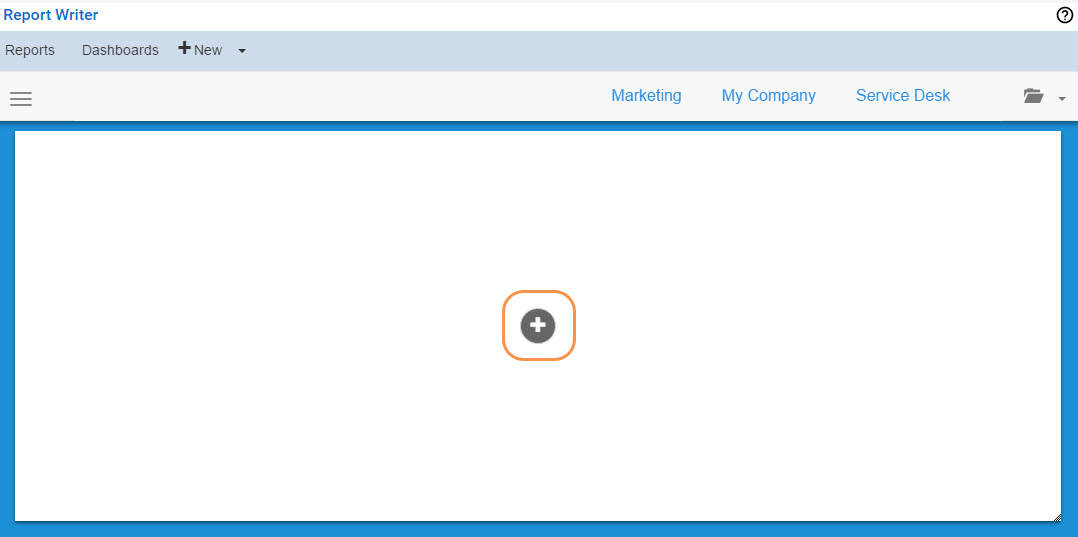
-
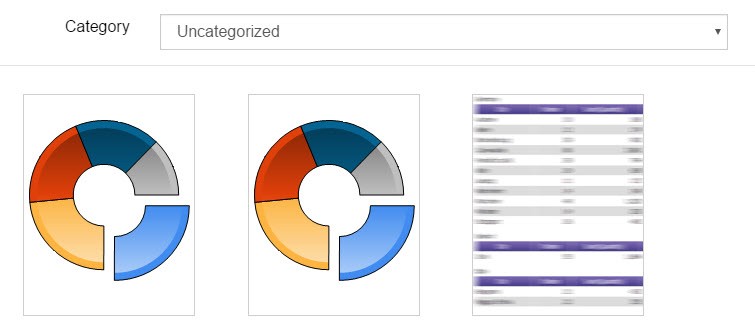
Select a Category and click on a report to display.
-
Click Chart or List View to determine how the report will be displayed.
Resize the tile by dragging the corner.
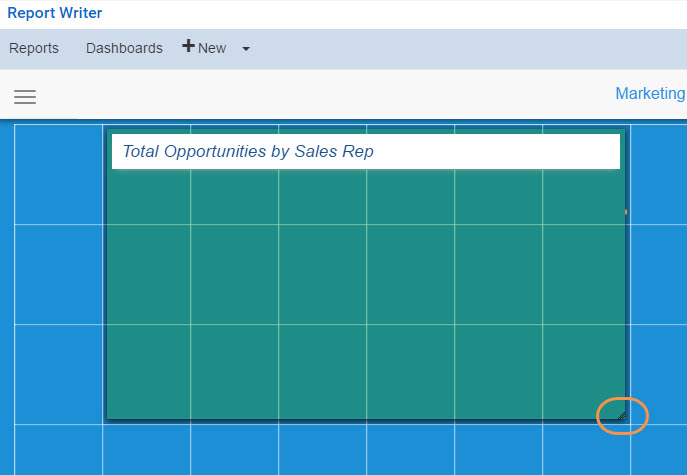
-
Hover over a blue square and click Add to add an additional tile.
- After you have added the tiles, click the hamburger icon > Save.
-
Enter a Name for the dashboard and select a Category from the drop-down.
Click OK.
How_to_Create_a_Report_Writer_DashboardHow to Create a Report Writer Dashboard
Watch the following video on the process of creating a new Report Writer Dashboard.
Media, iframe, embed and object tags are not supported inside of a PDF.
Delete_a_DashboardDelete a Dashboard
A dashboard can be deleted from the Dashboard tab or from the Standard Dashboard screen.
Dashboard_TabDashboard Tab
To delete a dashboard from the dashboard tab:
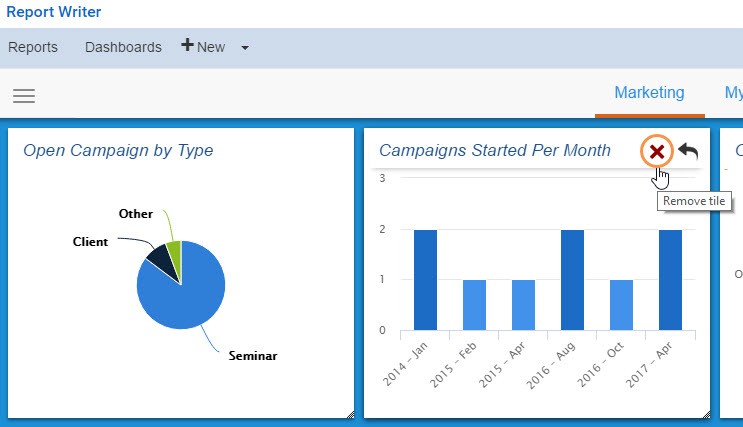
Hover over the dashboard you want to delete an click Remove Tile.
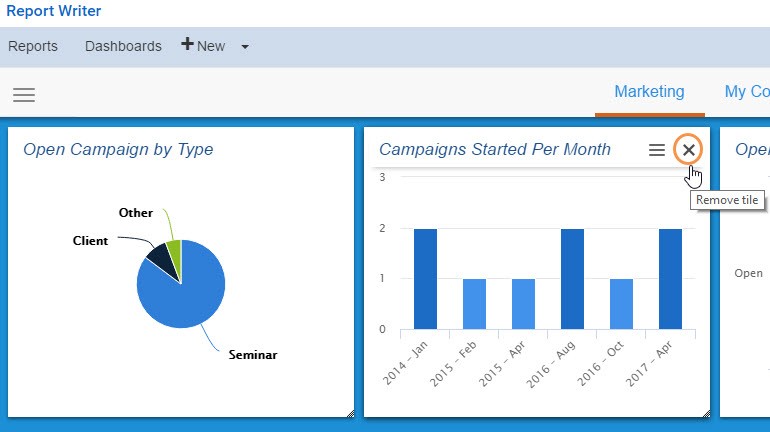
Click Remove Tile.
Standard_Dashboard_ScreenStandard Dashboard Screen
To delete a dashboard from the Standard Dashboard screen:
Hover over the dashboard you want to delete and click Remove Tile. A delete confirmation window will appear.
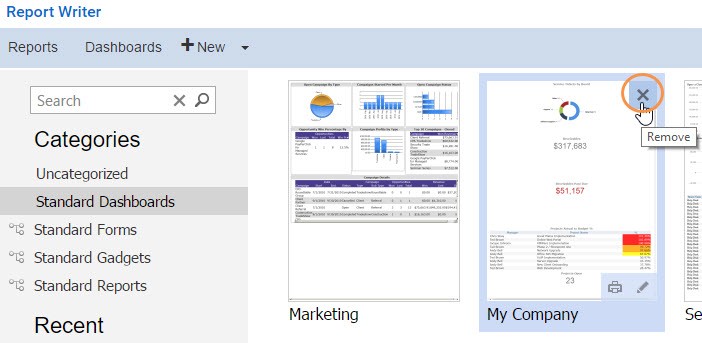
Click OK.
Remove_or_Edit_Dashboard_FieldsRemove or Edit Dashboard Fields
To remove or edit existing fields on the dashboard:
Click the hamburger icon on the tile you want to edit.
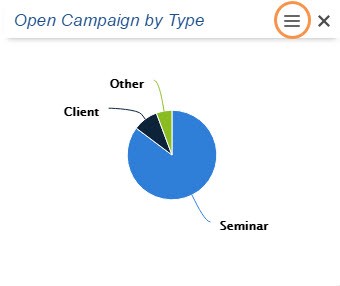
Click edit. This will open the tile report in Designer.
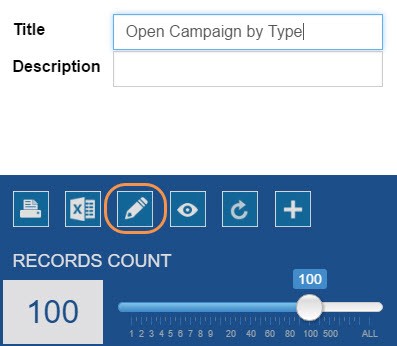
Make the required updates and click Save. Then close the window.
Send_Link_to_EmailSend Link to Email
The Dashboard Designer allows you to send emails with the link for the dashboard. Please follow the steps below to email the link.
-
View the dashboard you want to share.
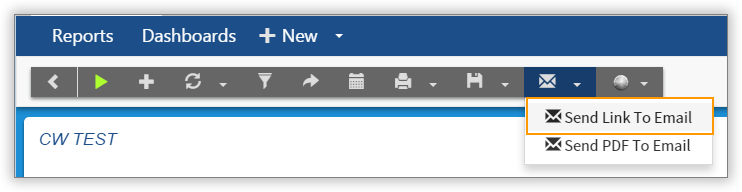
- In the toolbar, select the email drop-down, then Send Link to Email.
Enter the email address that you want to send the link to.
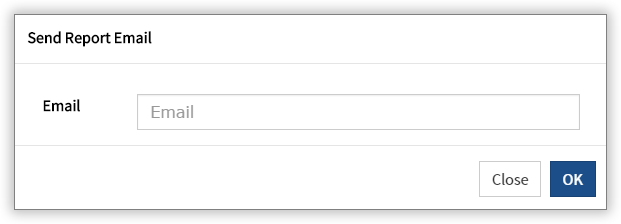
Click OK.