Full Title: Submission on Agent Behalf is Complete
Short Description: This template is used to notify a title agent you have completed a Registry listing request on their behalf.
Text | Images | Step-By-Step:
[Insert Name],
The Registry listing request for Company Name has been submitted to your underwriter(s).
You may log into the RMS (quick steps for logging in are below) to review and edit your listing information at any time.
Also, once confirmed by your underwriter(s), you may check the listing in the ALTA Registry.
NOTE: you will only have access to perform a public search, which does not include your UW details. Steps for performing a public search are listed below. For information on how to add a link to your listing or use of the ALTA Registry logo, please visit https://www.alta.org/registry/resources-materials.cfm.
Last, if you would like to provide your RON platform details or E&O declaration page, you can upload that to your listing information as well.
If you have any questions, please let me know.
Steps for accessing the Registry Management System – Title Agent Portal
-
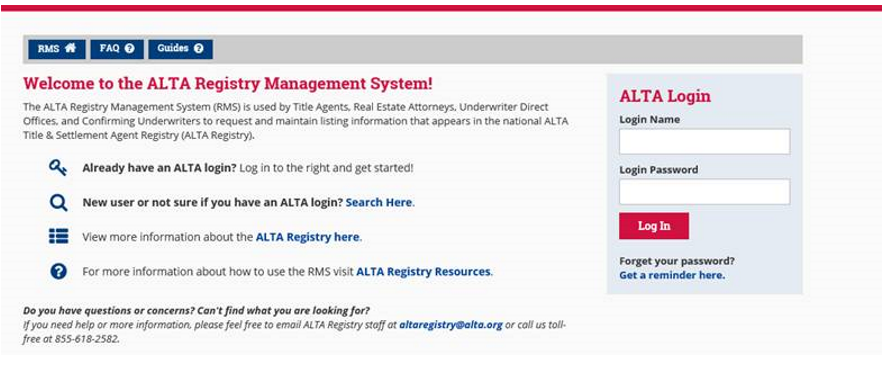
Go to www.alta.org/registry/rms.cfm and enter your ALTA login and password (screen shot below).
-
If you do not have your login details, you can click the ‘Get a reminder here’ link just below the login box.
-
Select Manage My Office and Underwriters
Steps for performing a public ALTA Registry Search
- Go to www.altaidregistry.org
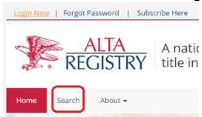
- Click ‘Search’ in the sub-navigation menu
- Check ‘I’m not a robot’ and accept the Terms and Conditions.
- Enter the ALTA ID or Company Name that you are searching for in the text box and click search

- If you enter your company ALTA ID (XXXXXXX) you will be directed to the listing.
- If you enter a company name you will likely be taken to a search results page. If you locate the listing you are looking for, enter the ALTA ID directly in the search box and click ‘Search’ again to be taken to the listing.
