Full Title: Steps for Performing a public Registry Search
Short Description: This template is used to provide instruction on how to complete a public search of the ALTA Registry at www.altaidregistry.org (without a login).
Template:
Steps for performing a public ALTA Registry Search
- Go to www.altaidregistry.org
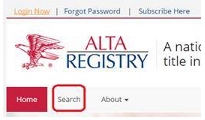
- Click ‘Search’ in the sub-navigation menu
- Check ‘I’m not a robot’ and accept the Terms and Conditions.
- Enter the ALTA ID or Company Name that you are searching for in the text box and click search

- If you enter your company ALTA ID (Insert ALTA ID) you will be directed to the listing.
- If you enter a company name you will likely be taken to a search results page. If you locate the listing you are looking for, enter the ALTA ID directly in the search box and click ‘Search’ again to be taken to the listing.
