RON categories are stored in re:Members (formerly Impexium) Custom Data Tables (on the Report Server) rather than the baseline Custom Category system.
-
This is so that we can do all that we need to with the API.
-
CDTs are instantly live, so there is no need to wait for the overnight processes to see changes.
-
ALTA Marketplace categories are stored in the same CDTs.
Category Setup
-
Found in re:Members (formerly Impexium) under "Custom Data", "Custom Data", and "ALTA Cust Data Categories".
https://portal.alta.org/administration/custom/data/?action=list&TableId=68476792-1429-eb11-8441-0003ff6851a7 -
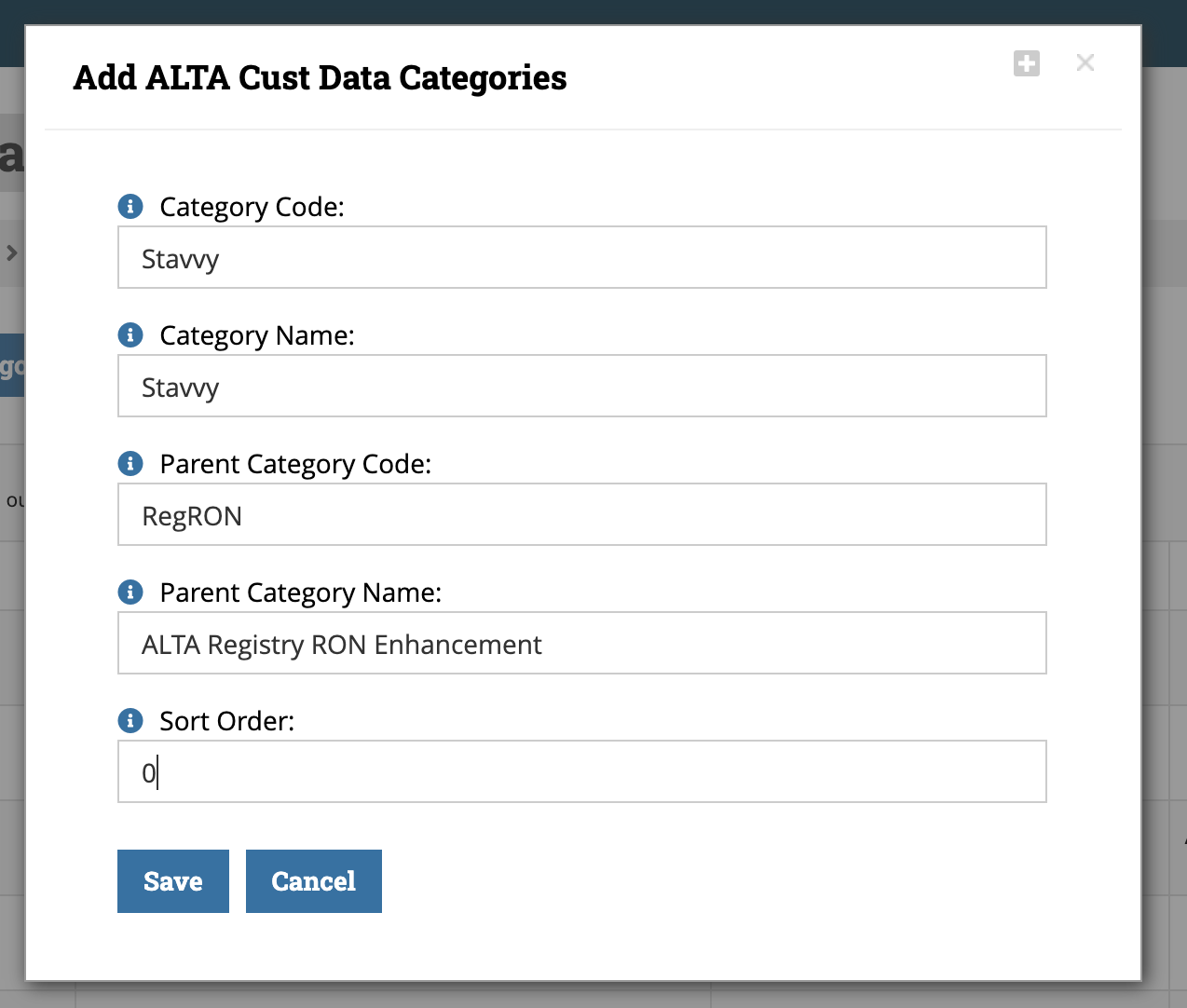
When adding a new RON code, the parent code information must be entered exactly to link everything up. There are not dropdowns for options in CDTs.
-
Category Code = No spaces, short.
-
Category Name = Full spell out.
-
Parent Category Code = RegRON
-
Parent Category Name = ALTA Registry RON Enhancement
-
Sort Order = 0
-
-
CRITICAL - Queries must be updated manually to include RON codes due to some baseline query limitations.
-
Under "Queries", "Query Builder", and load "SUB - REG - With RON"
-
Add a Criteria for "OR" and the new Category Code

-
Customer Category Storage
-
Found in re:Members (formerly Impexium) under organization records, "Custom" tab and "Cust Data Org Categories".
-
While these CAN be manually added, it's best to use the RMS UI to ensure correct format.
