This page provides the standard email template used by ALTA staff when creating a new individual login for an existing organization — specifically for individuals who are not a Primary Contact (PC) or Secondary Contact (SC). It also covers how to proactively inform the new user about the ALTA Registry and guide them toward getting their company listed.
Thank you for your request for a new ALTA login and password for www.alta.org.
You should have just received a link to set your ALTA password via email. Your login is your email address.
If you have not received it, please check your SPAM or JUNK folders.
Also, while setting up your login I noticed that [Insert Company Name and ALTA ID] is NOT listed in the ALTA Registry (www.altaidregistry.org).
If you are not familiar with the ALTA Registry, it is the industry “phone book” of underwriter confirmed title agents (used by lenders and transaction participants to find title agents and confirm they are working with an agent that has active underwriter relationships). A listing in the ALTA Registry is free and does NOT require membership with ALTA.
It is important to note that to be listed in the Registry, an agent must request confirmation from their underwriters. A Registry listing is NOT “automatic” with ALTA membership and/or policy forms licensing.
If you are interested in adding your listing, I’ve included steps for accessing the Registry Management System to send a listing request to your underwriter(s).
NOTE: Only an ALTA primary contact may request a listing. Our records show [Insert Primary Contact Name] is the current primary contact.
Or if it is easier, I’d be happy to assist with getting the listing request submitted to your underwriters, just let me know and I’ll follow up with what details are needed.
For more information on the ALTA Registry, visit www.alta.org/registry.
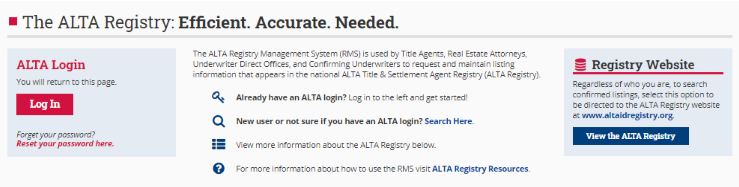
Accessing the Registry Management System

Thank you,
ALTA Registry Team
Made with DASH A.i.This template applies when a new person at an existing ALTA organization needs their own login credentials for www.alta.org, but holds neither the Primary Contact nor Secondary Contact role. Beyond account setup, the template takes the opportunity to nudge the organization toward an ALTA Registry listing if one does not already exist.
Before sending this template, confirm in your records: (1) the organization's ALTA ID, (2) whether the company is already listed in the ALTA Registry, and (3) the name of the current Primary Contact — all three are required fill-in fields in the template.
Made with DASH A.i.The ready-to-send email template covers three distinct actions in one message: confirming account creation, explaining the Registry login process, and inviting the organization to pursue a Registry listing.
Key fill-in fields before sending:
| Placeholder | What to insert |
|---|---|
[www.alta.org] | Already populated — no change needed |
[Insert Company Name and ALTA ID] | The organization's name + their ALTA ID number |
[Insert Primary Contact Name] | The current Primary Contact on file for that organization |
What the template covers, in order:
If the company is already listed in the ALTA Registry, omit the Registry section entirely and send a shorter confirmation-only message. This template is specifically designed for cases where the Registry listing is missing.
Made with DASH A.i.This sub-section of the template gives the new user (or their Primary Contact) step-by-step guidance for initiating a Registry listing request.
Only the Primary Contact on the account can submit the Registry listing request. If the new individual is not the Primary Contact, they should coordinate with the person named in the template before attempting to access Registry Management.
Key Registry facts to remember when answering follow-up questions:
Made with DASH A.i.No keywords are currently defined for this page. Adding relevant keywords improves searchability across the SOP library.
Consider adding keywords such as: new account, individual login, existing organization, ALTA Registry, password setup, non-primary contact, account request — any terms staff might search when looking for this template.
Made with DASH A.i.No related SOPs are currently linked to this page. Cross-linking related procedures helps staff find the right template faster.
Consider linking to SOPs covering: new account requests for Primary/Secondary Contacts, the ALTA Registry listing process, and password reset procedures — these are the most likely companion documents a staff member would need alongside this template.
0 files attached to this page