Full Title: Agent or Attorney Submitted a Demo Request via altaidregistry.org
Short Description: This template is used when someone who appears to be a title agent or real estate attorney submits a request for an ALTA Registry demo via the ALTA Registry website.
Template:
Hi [Insert Name],
Thank you for your interest in participating in the ALTA Registry.
In order for your company information to be listed in the Registry, you must request it to be confirmed by your underwriters and published to the ALTA Registry using the ALTA Registry Management System.
Below is a quick list of steps for accessing the ALTA Registry Management System to request your ALTA Registry listing. Please let us know if you have any questions.
NOTE: If your firm does not issue title policies, Real Estate Attorney law firms are able to request an ALTA Registry listing by providing attorney state licensing information.
The demo option shown on the ALTA Registry website is intended for potential ALTA Registry subscribers (lenders and their vendors who participate in the mortgage transaction) who execute a licensing agreement and then have access to agent information.
Steps for accessing the Registry Management System
-
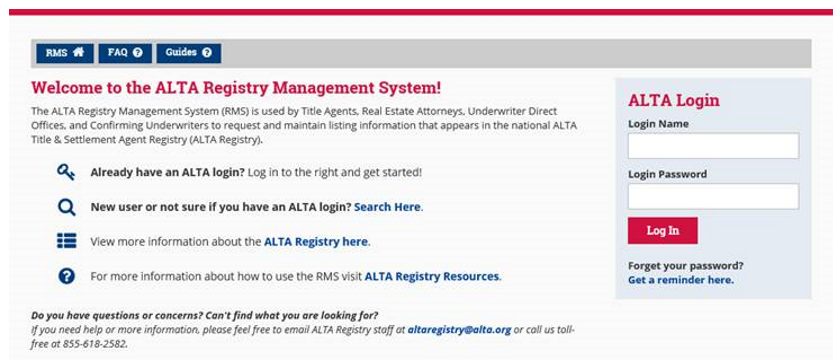
Go to www.alta.org/registry/rms.cfm and enter your ALTA login and password (screen shot below).
- If you do not have your login details, you can click the ‘Get a reminder here’ link just below the login box.
- If you do not have a record in the ALTA database, you can click the ‘Search Here’ link next to “New user or not sure if you have an ALTA login?” to start the process for creating your company record and individual ALTA login.
-
Follow the on-screen instructions.
Thank you!
