Full Title: Steps for : Adding the FIRST Principal Branch Location (PBL) using the RMS
Short Description: This template is used to provided instructions to a title agent who has no existing Registry listing activity and is just 'Getting Started'.
Template:
To get started with requesting your ALTA Registry listing, follow the steps below, using the ALTA Registry Management System.
Using the Registry Management System to request your first Registry listing.
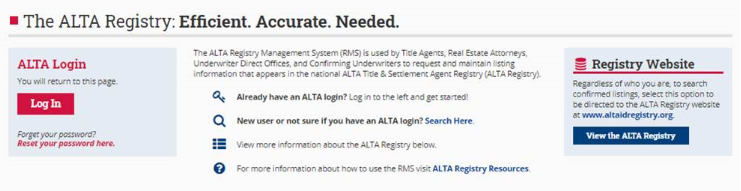
- Go to www.alta.org/registry/rms.cfm and enter your ALTA login and password. NOTE: If you do not know your password, click the red link to "Reset your password here" (under the RED Log in Button).
-
Answer ‘YES’ to the question are you a Title Agent or Real Estate Attorney who issues Title Policies.
-
Select Manage My Office and Underwriters.
-
Select the Green ‘Get Started - Add a Principal Location’ button.
-
In the Step 1 Box, Select your location from the drop down menu.
-
In the Step 2 Box, Select the Underwriter(s) who you will send the listing request to for confirmation.
-
In the Step 3 Box, Select Review and Confirm Listing. You will then move to another page.
-
In the Step 1 Box, review / update the company information as needed.
-
In the Step 2 Box, select the person who will be listed as the contact for this location in the ALTA Registry.
-
In the Step 3 box, review and add additional details you would like to include in your listing
-
In the Step 4 Box, select Save Information.
-
At this point, you will return to the main ‘Manage Registry Listings Page’.
-
If you have additional locations to add; follow the on-screen prompts to either add a branch location or add a principal branch location.
-
When all locations are showing, don’t forget to hit the ‘SUBMIT’ button to send the request to your selected underwriters.
If you would like us to submit the request on your behalf, please provide the following.
NOTE: (*) are required fields for a listing in the ALTA Registry.
- Legal Name*
- DBA Name (if different from legal name)
- Address*
- Company Email*
- Website
- Phone*
- Fax
- Underwriter(s)*
- Are you able to support RON closings? If yes, provide the technology platforms used?
- E&O declaration page - provide your current E&O declaration page which will be accessible to your selected underwriters and lenders who subscribe to use the Registry data.
- Contact First/Last Name, Email, and Phone*
