Full Title: Agent appears to be logging into the Registry website and NOT the RMS
Short Description: Use this template when it appears that an Agent is attempting to log into www.altaidregistry.org when they should be logging into the RMS www.alta.org/registry.
Template:
Hi [Insert Name],
Can you please confirm the website that you are attempting to log into?
Reason I ask is that it appears the message received is on the ALTA Registry website (www.altaidregistry.org). This is NOT the website that your existing ALTA login is used for.
The ALTA Registry website is separate from alta.org and is where your details are published once you request your listing using the ALTA Registry Management System (part of the ALTA website) and it is confirmed by your underwriter.
Good news is that you can still perform a public search in the ALTA Registry (without logging in), see the steps for doing this below. The login feature is intended for ALTA Registry subscribers (lenders and their vendors who participate in the mortgage transaction) who execute a licensing agreement and then have access to additional features and information.
If you wish to update your listing information or view the status with your current underwriters, log into the ALTA Registry Management System using your ALTA login and password. I’ve also included steps below for logging into the Registry Management System.
If you have any questions, please do not hesitate to contact me directly using the contact details below.
Steps for performing a public ALTA Registry Search
- Go to www.altaidregistry.org
- Click ‘Search’ in the sub-navigation menu
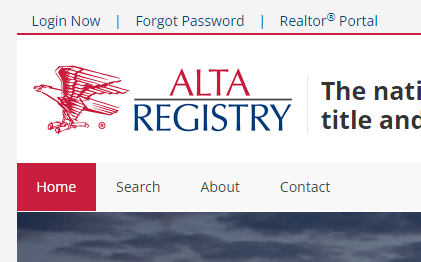
- Check ‘I’m not a robot’ and accept the Terms and Conditions.
- Enter the ALTA ID or Company Name that you are searching for in the text box and click search.

- If you enter your company ALTA ID (Insert ALTA ID) you will be directed to the listing.
- If you enter a company name you will be taken to a search results page. If you locate the listing you are looking for, enter the ALTA ID directly in the search box and click ‘Search’ again to be taken to the listing.
Steps for accessing the Registry Management System
-
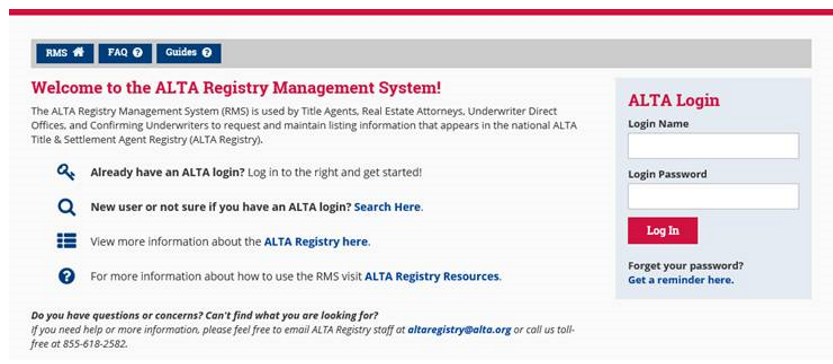
Go to www.alta.org/registry/rms.cfm and enter your ALTA login and password (screen shot below).
-
If you do not have your login details, you can click the ‘Get a reminder here’ link just below the login box.
-
Follow the on-screen instructions.
Thank you.
