OverviewOverview
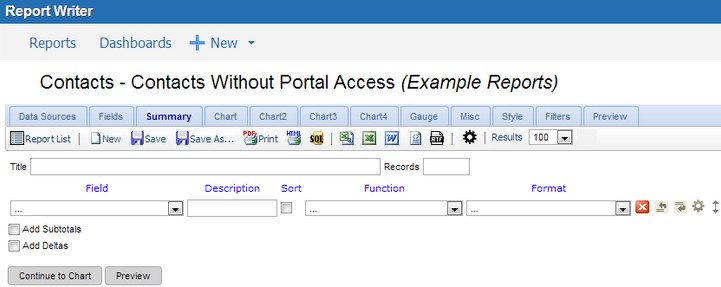
In the Summary tab (shown below), a table can be created that summarizes the chosen fields using different functions. You can also make a group of fields by choosing the Group option from the Function dropdown menu.
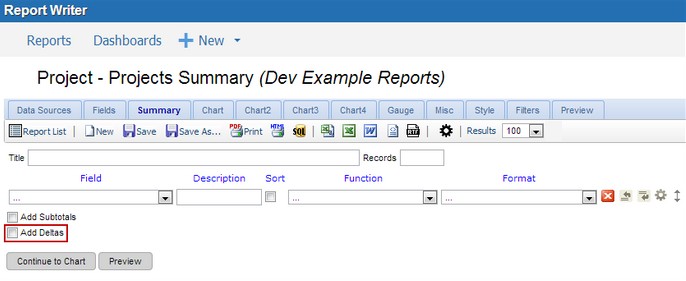
Most actions and properties available in the Summary Tab are available in the Fields Tab. The only difference is the removal of the Quick Add and Pivot capabilities, and the addition of the Add Deltas check box.
To locate this screen, navigate to System > Report Writer.
DeltasDeltas
In the context of the Report Writer, the word delta means "a change in." Any time there is a change in a quantity, that change is calculated by taking the latter value of that quantity and subtracting from it the prior value of that quantity. You can use this functionality in a summary report by selecting the Add Deltas check box.
Report_Writer_PreviewReport Writer Preview
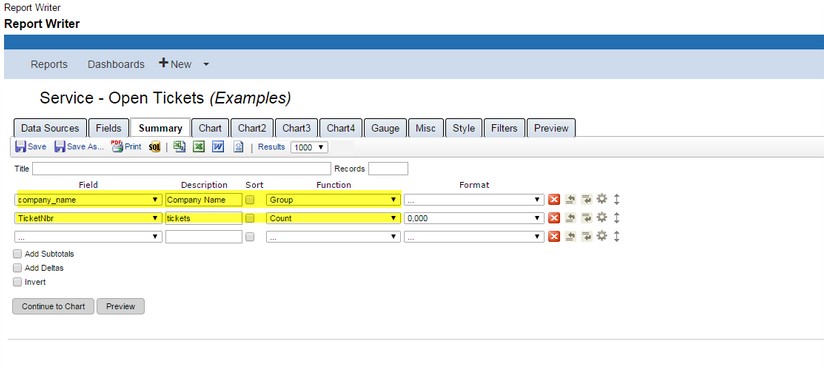
The following is an example of creating a report for open tickets.
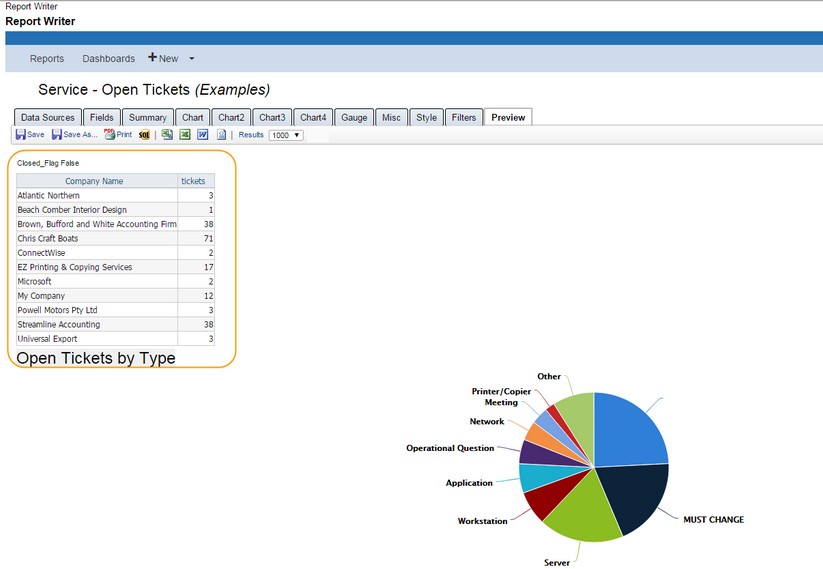
The following is an example of a report of Open Tickets by Type.