
ConnectWise Manage: How to create a Company
-
To begin working with a company as a lead the company needs to be added to Manage the database.
-
First, Navigate to the Companies module
-
Select the Companies screen
-
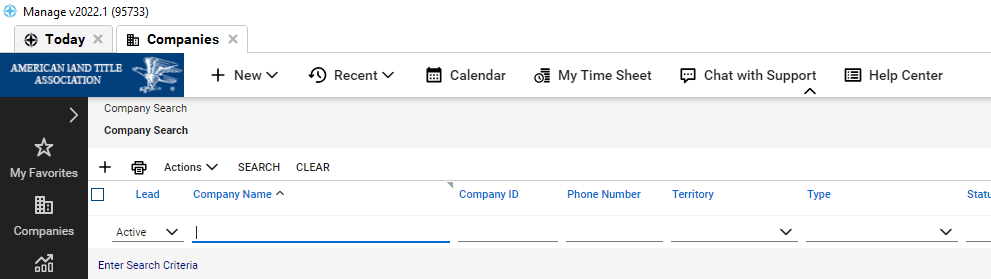
Select the new item (+) icon
-
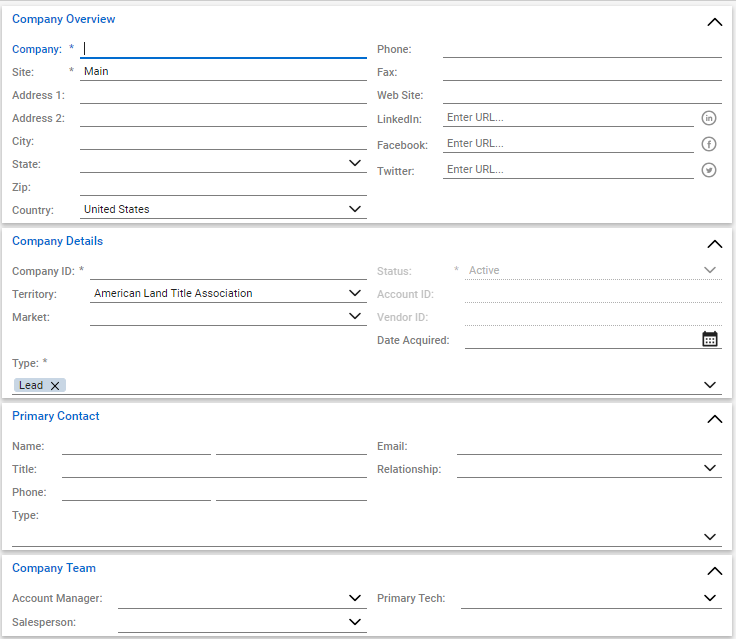
Fill in the required fields
-
Enter the new companies name into the company field
-
Enter companies address
-
In Company Details Select the type
-
Set the appropriate territory
-
Associate the company with a market
-
Indicate the Primary Contact
-
Finally, save the record.
*NOTE* While it is not required, it is very important to se a primary contact for a company to ensure that you will always have a line of contact.