
ConnectWise Manage: Project Templates
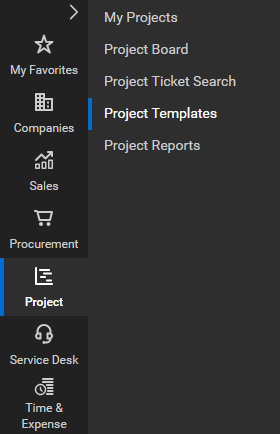
To locate project templates,

Navigate to the project module on the left-side navigation
Select the project template screen
-
This populates a list of all existing templates available
-
From this screen, you create new templates and drill into existing templates to review or make changes.
Option 1: how to apply project templates
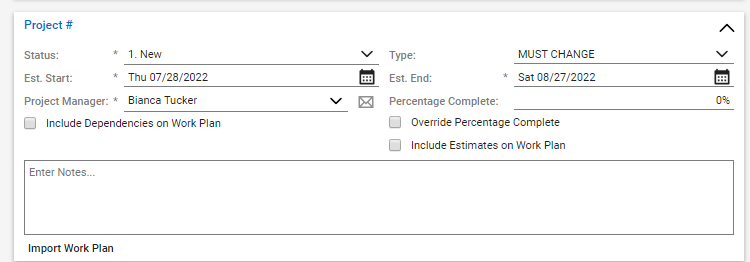
Select the import work plan option located in the Project # pod.
Then, select the project template you would like to use
This applies the project template settings to the new project as the record is saved.
Option 2: how to apply project templates
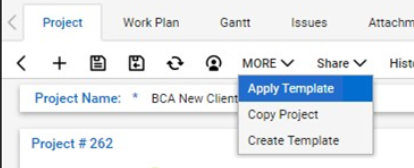
Use the “MORE” drop-down within the Project tab or Work tab.