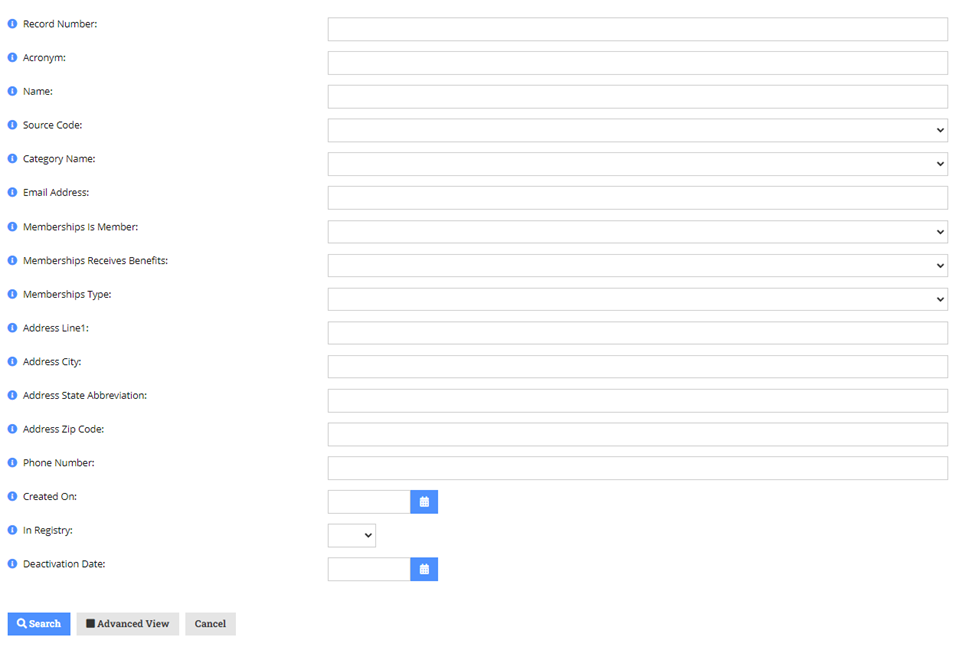
- Please search in re:Members (formerly Impexium) to make sure the organization is NOT already within the database, search by company name, address line 1, address state abbreviation & more. Simplify as much as you can for the search.
a. Ex) Baker Donelson Bearman Caldwell & Berkowitz, PC – pick one of the names to search
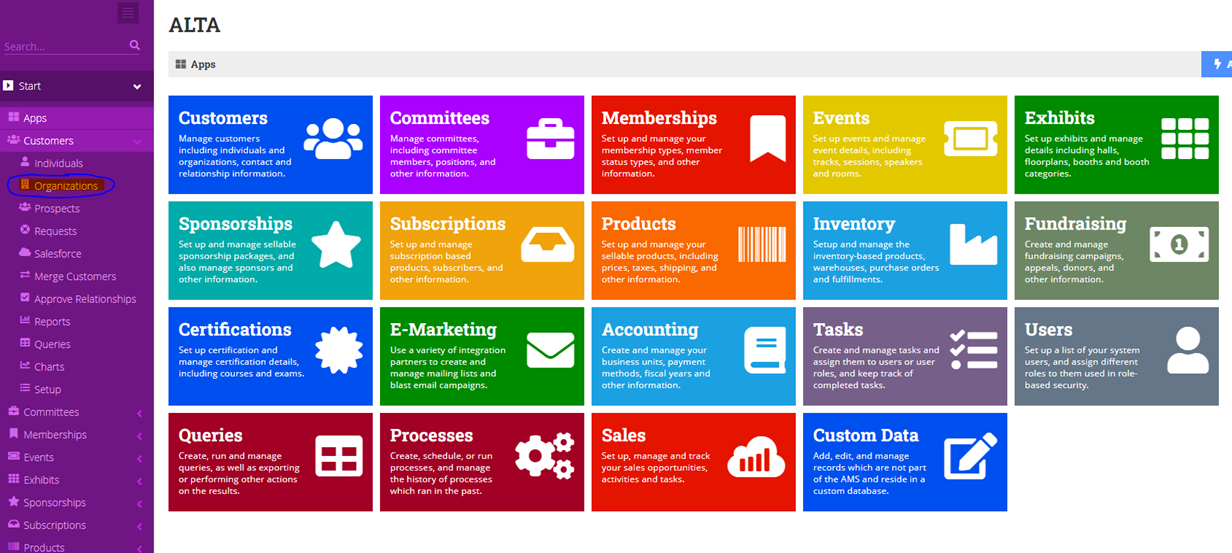
2. Click on organizations
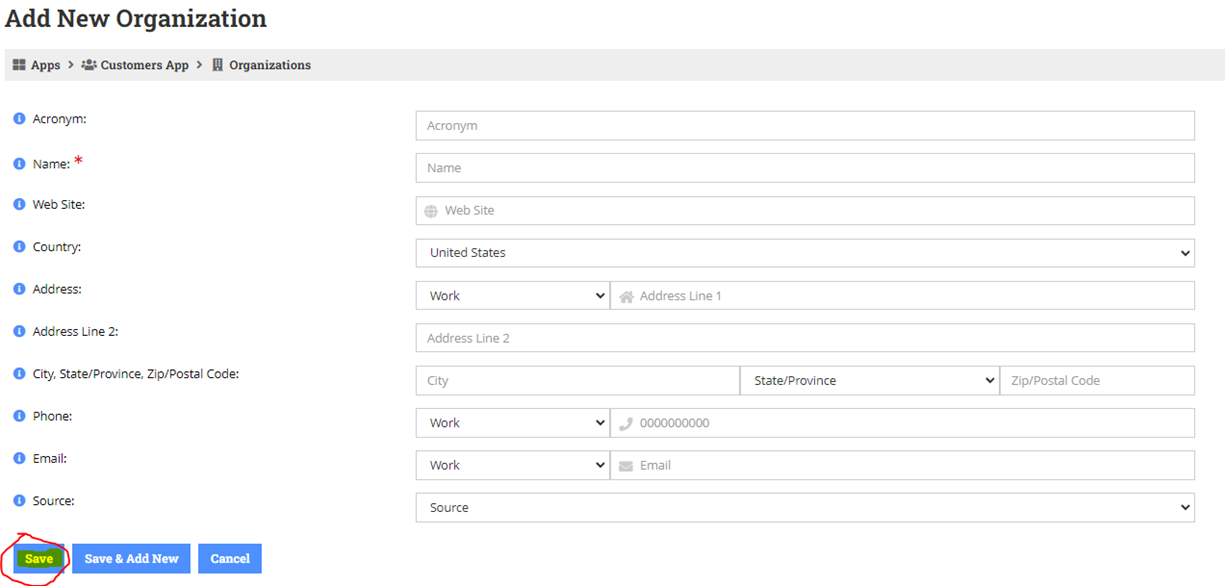
3. Select Add New Organization

4. Complete all of the fields for the new organization & press save
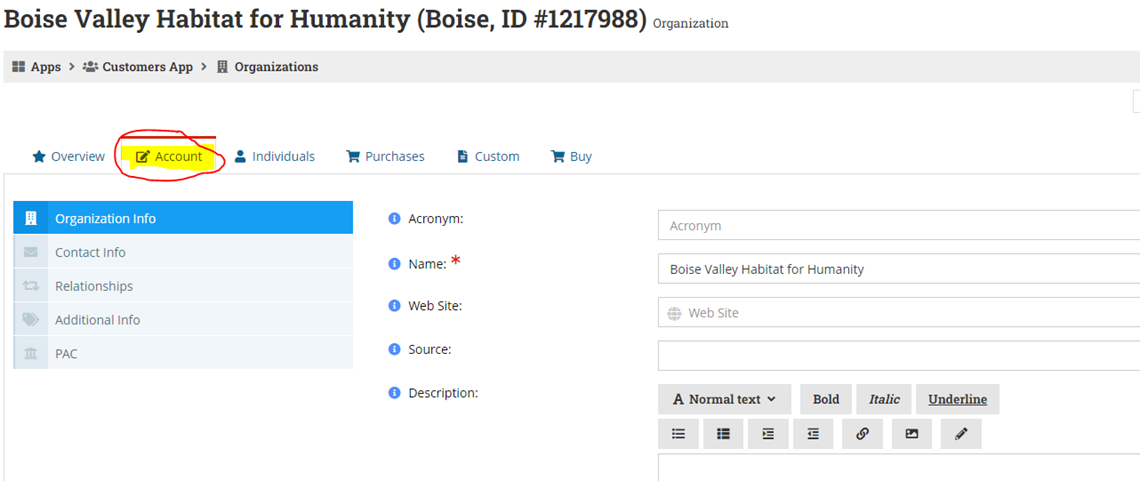
5. On the organization overview page, please select “Account”.
6. When you get to this page, please select on “Organization Info” and scroll down until you see DBA Name. Here is where you would enter the name of the organization. Please press save once completed.
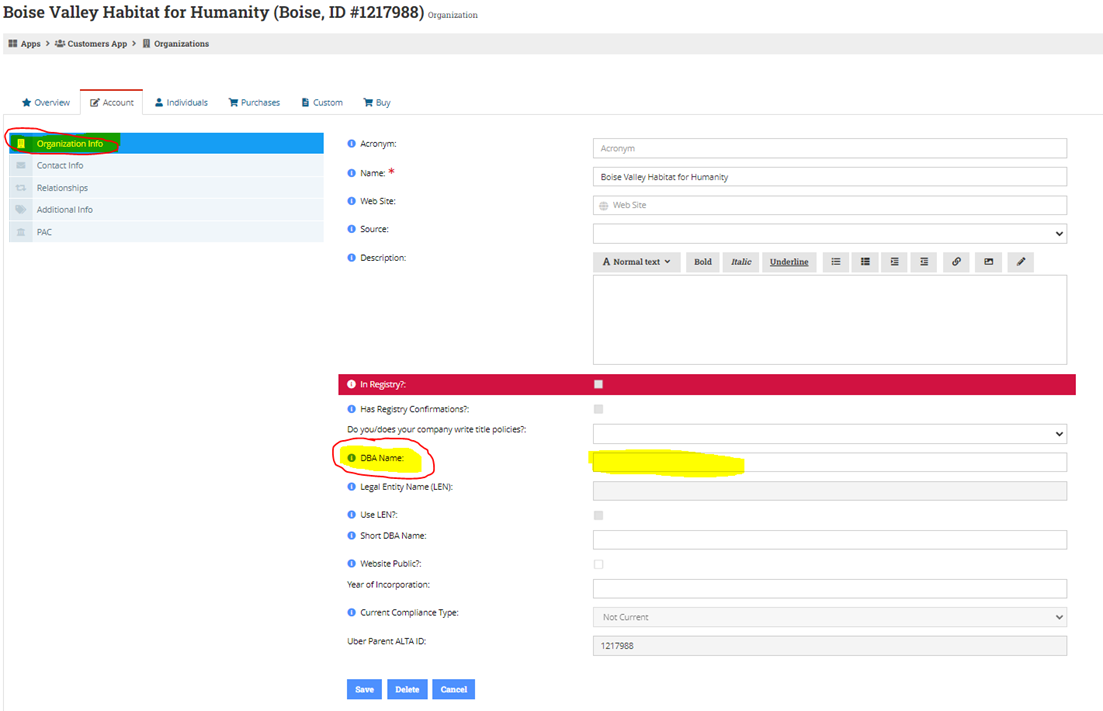
7. If the organization has a website, please check the Website Public box

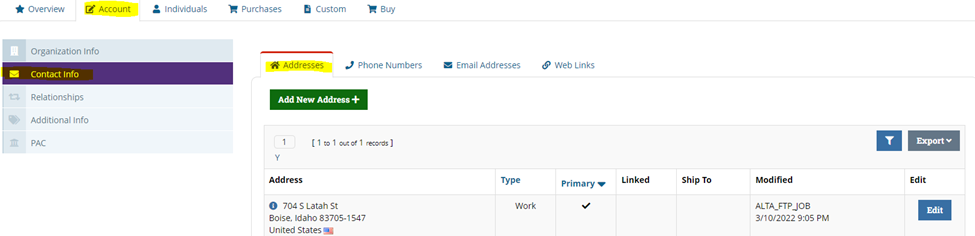
8. Next, select the Contact Info tab & select Addresses & the Edit button
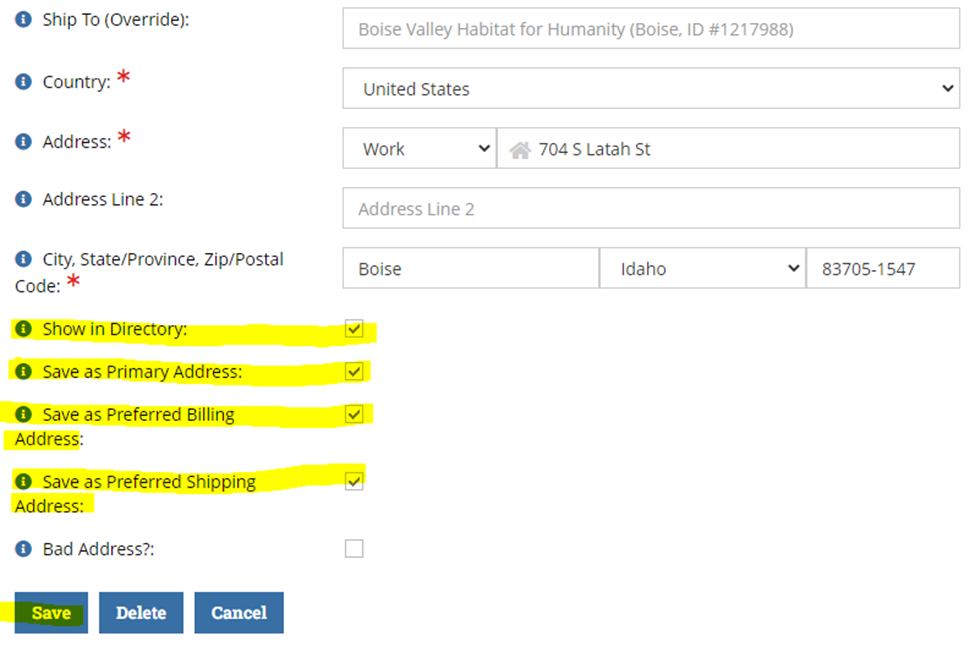
9. Check the following boxes & then save:
a. Show in Directory
b. Save as Primary Address
c. Save as Preferred Billing Address
d. Save as Preferred Shipping Address
- If you know the type of business the ORG is in, be sure to “preload” the answers to the questions they’ll need to answer to join ALTA as a Member.
On the ORG Record: Account > Additional Info > Custom Info > Membership [View Button]
Answer the questions given the information you know. Everything you add will make it easier for the ORG to join ALTA when the time is right - this is especially true for Vendors.
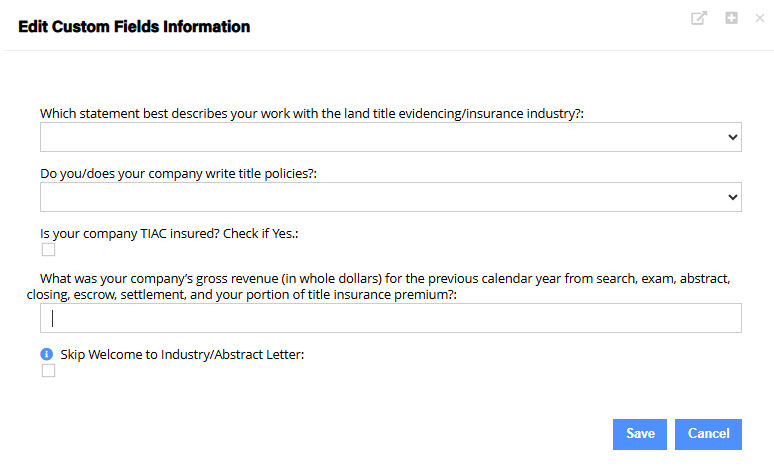
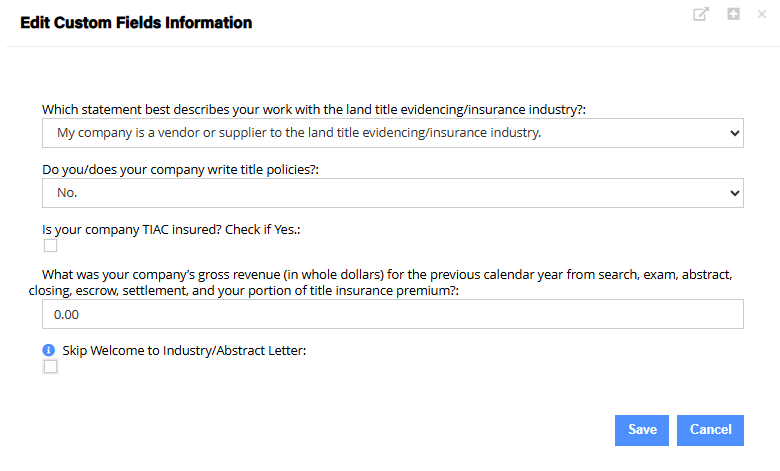
The most important choice will be to indicate which option best describes the ORG’s work because this will guide the ORG to the right type of ALTA Membership:
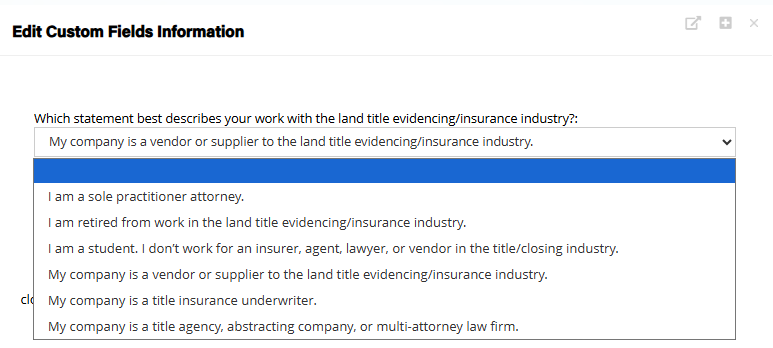
For Vendor/Supplier ORGs, note that you can put $0 for their gross revenue since dues are not dependent on revenue: