-
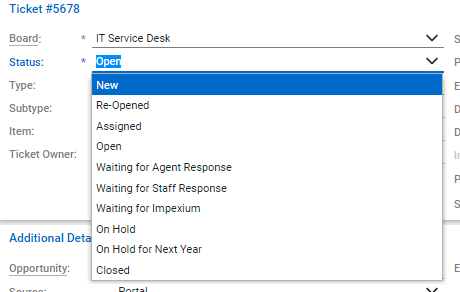
Ticket status help define the flow of a ticket. Ticket status is located under the ticket# section. Here are the definitions for each status in ConnectWise for ALTA.
-
New: This will send out an email to notify Amanuel and Felix that a new ticket has been submitted
-
Re-Opened: Use when a staff want to re-open the ticket.
-
Assigned: Use to notify an agent that a ticket has been assigned to that agent.
-
Open: IT Agent is working on the ticket
-
Waiting Staff Response: Use when the ticket needs a response from the ticket requester. This will send out a notification email to the ticket requester to prompt for his or her response.
-
Waiting Agent Response: Use to indicate that the agent input in needed.
-
Waiting for Impexium: Use to indicate that we are waiting for Impexium response.
-
On Hold: Use to indicate the ticket is on hold for further instruction.
-
On Hold for Next Year: Use to indicate the ticket is on hold for next year
-
*Note: This status must be change after you have responded to a ticket. This will help keeping the ticket requester informed about the status of the ticket.
- Closed: Use when the ticket is done and can be closed.
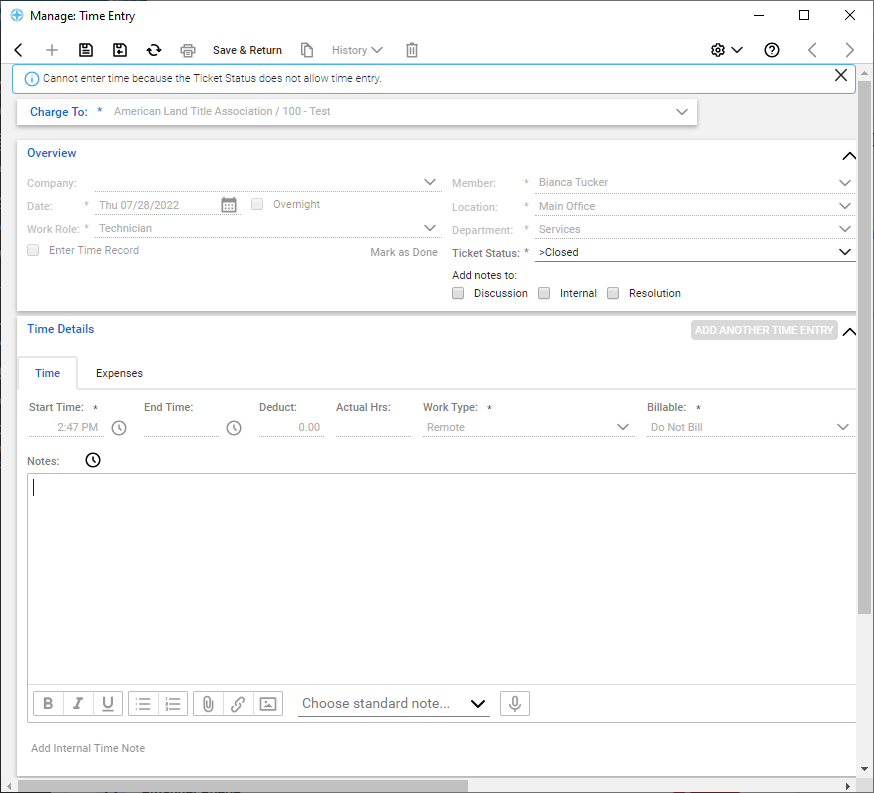
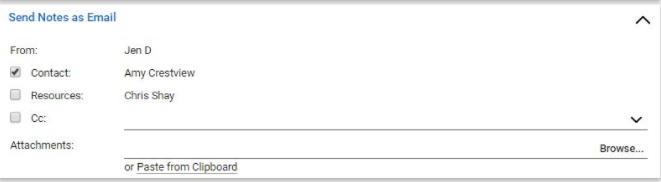
- Review the send notes in the email section to confirm that the appropriate contacts and resources receive this email message
- Now, enter all the details that need to be communicated.