Full Title: New Account Requests from ALTA Website to Membership Email
Short Description:
Business Rules:
-
With the move to re:Members (formerly Impexium), new records will be added by Staff Users after a prospective customer searches for their own record and is unable to find an existing record and generate a password reminder.
-
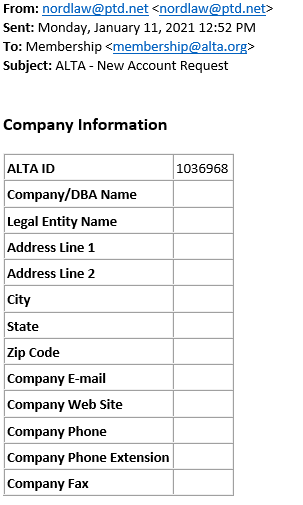
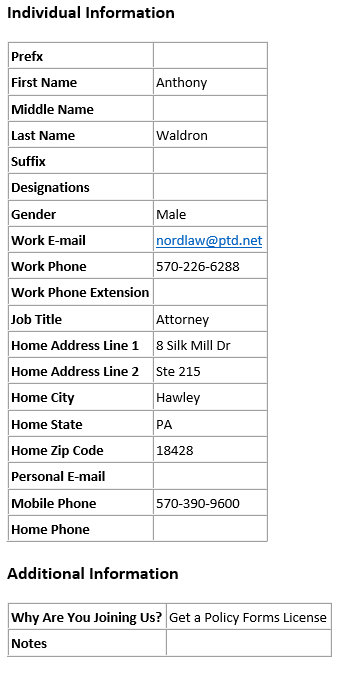
The customer will complete an online form which will generate an email to membership@alta.org with all of the details.
-
A Staff User will double-check the search process before adding the new user.
-
This change is designed to help prevent duplicate records.
Tips | Tricks | Hints:
Text | Images | Step-By-Step:
New users will start at https://alta.org/membership/my-account.cfm so that they can try to find their own record and their company’s record to avoid creating duplicates. Users who cannot find their own record will complete a form that will be emailed to membership@alta.org for next steps. Here's an example of a message showing a prospective new Individual who found or knew his Organization's ALTA ID but could not find his own record: