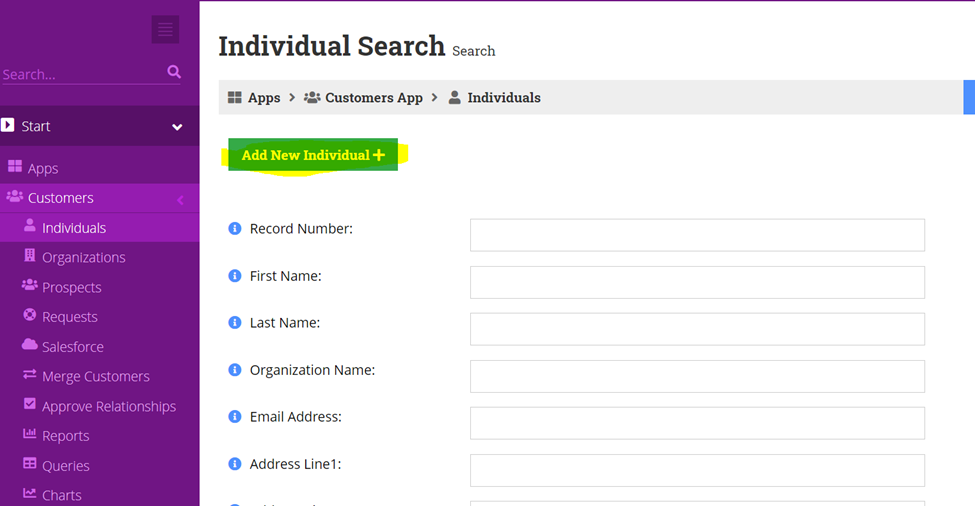
- Search re:Members (formerly Impexium) to see if that individual is already within the database
a. Search by first letter of their first name followed by their last name
b. Search by other names they may potentially go by
i. Ex) William can go by Will or Bill
Click on individual and then press add new individual
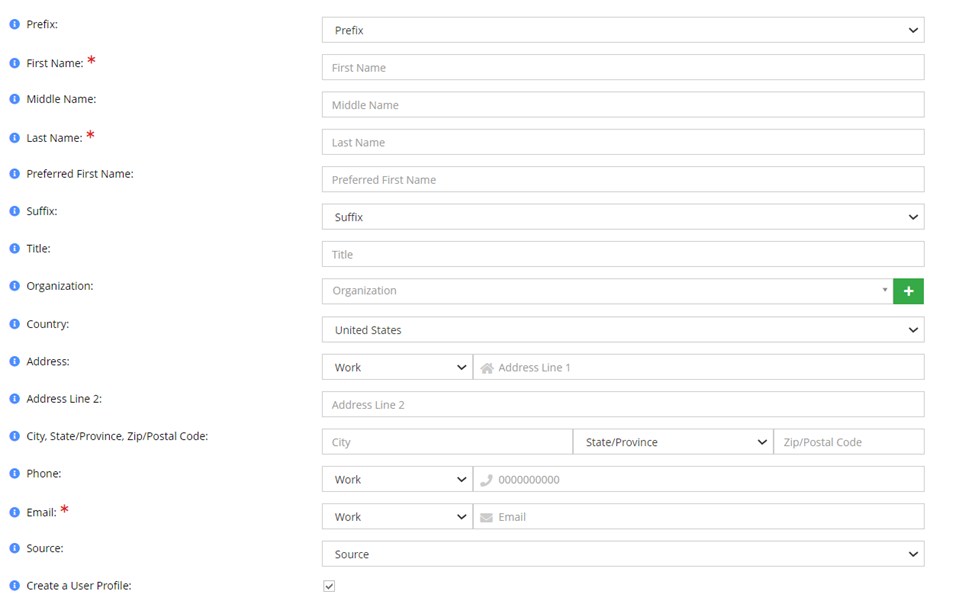
2. Complete the fields below & press save
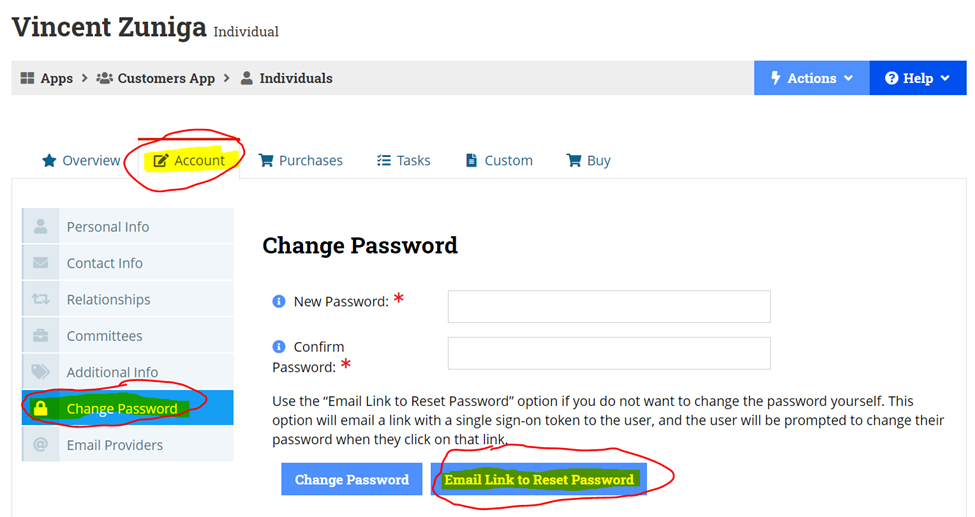
3. Once you are on the individuals page, to send their credentials to them please click on the account tab, then on the left side press on change password. Lastly you would press email link to reset password and this will send their credentials to them.