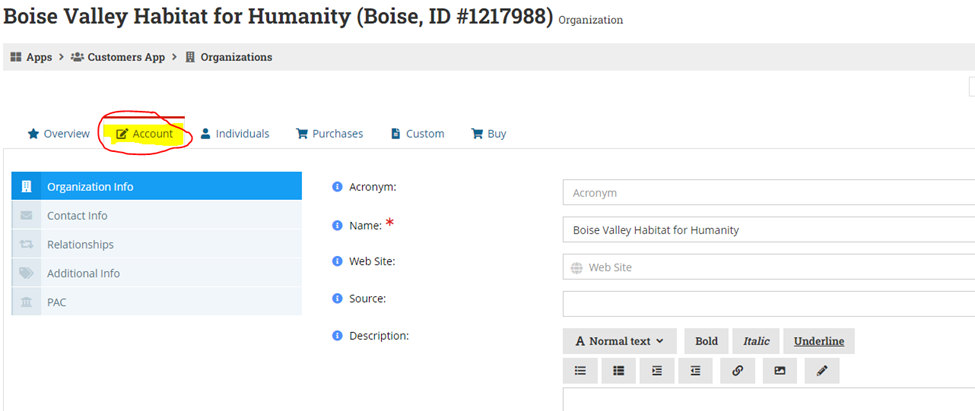
- On the organization overview page, please select “Account”.
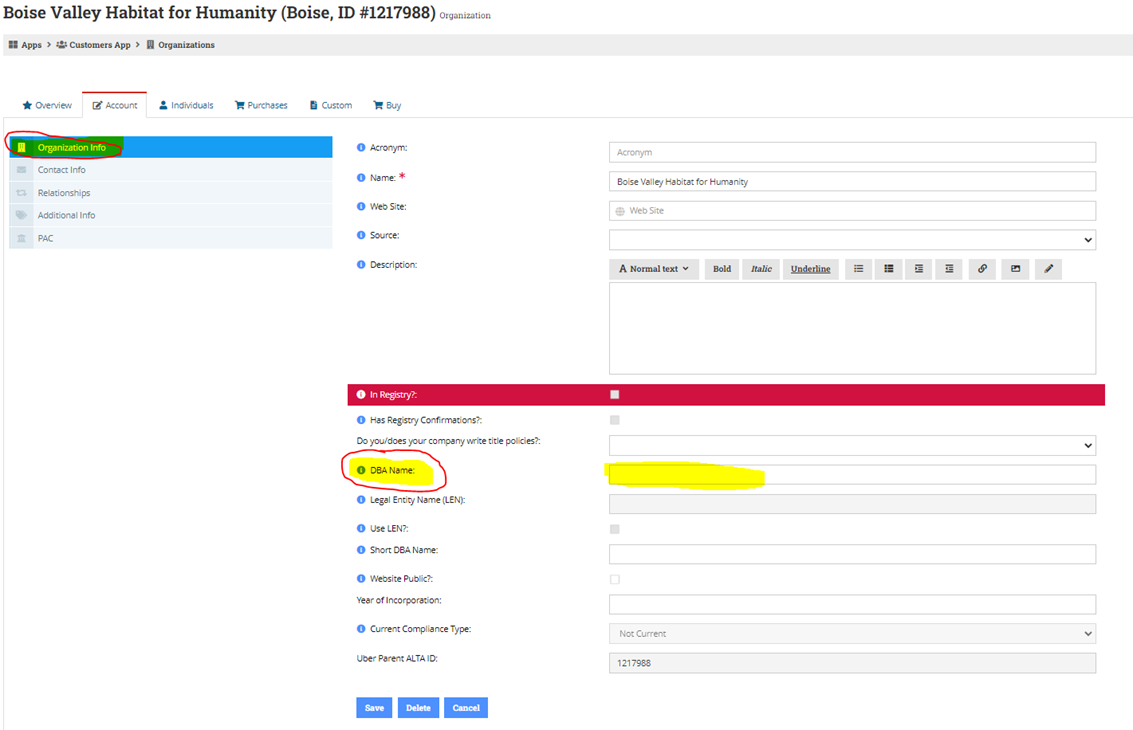
2. When you get to this page, please select on “Organization Info” and scroll down until you see DBA Name. Here is where you would enter the name of the organization. Please press save once completed.
 Made with DASH A.i.
Follow these two steps to enter a DBA name on an organization's account. The process starts from the Organization Overview page and takes less than a minute to complete.
Step 1 — Open Account Settings From the Organization Overview page, select "Account" in the navigation.
Step 2 — Enter & Save the DBA Name Inside Account settings, select "Organization Info" and scroll down until you see the DBA Name field. Type the organization's operating name, then press Save.
In practice: The DBA Name is separate from the organization's legal name. Only fill in this field if the organization operates under a name that differs from its registered legal name — for example, a trade name or brand name used publicly.