Full Title: How to update ORG records that are listed in the ALTA Registry.
Short Description: This procedure provides additional steps and considerations that are necessary when making changes to an ORG record that is listed in the ALTA Registry. While previously changes to Legal and DBA names as well as addresses could only be made by the Registry department, the M&L team now has full access and responsibility for completing all record updates.
Business Rules:
- When making an update to an ORG record, always check to see if the record is listed in the Registry, by going to Account<Organization Info and reviewing the 'In Registry' check box.
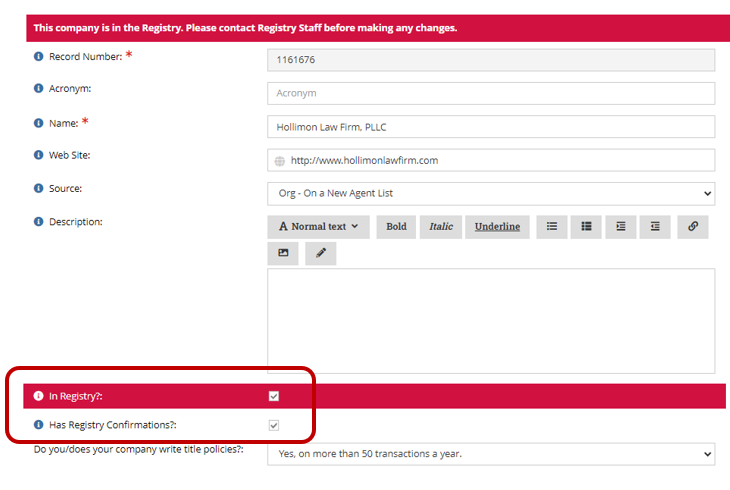
- If the record is listed in the Registry, follow the additional steps below.
Tips:
- IND records do not require an update to a last Registry Review Date.
Step-By-Step:
- After all updates are completed, update the "Registry Last Review Date"
- Go to Customer<Custom Info<Edit on the Registry Last Review Date.
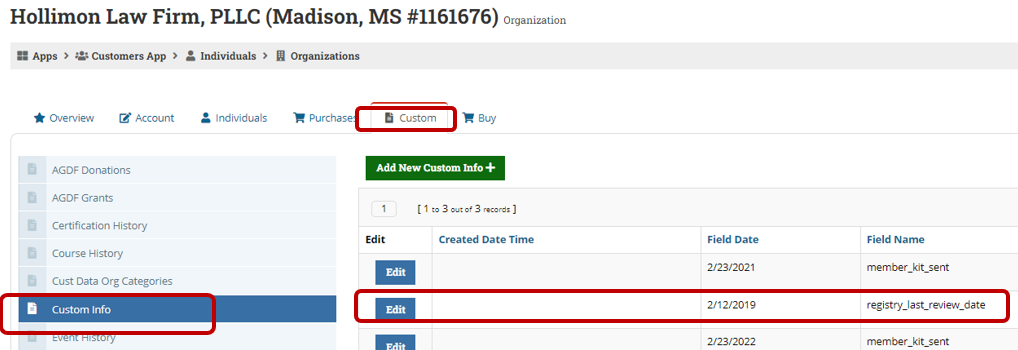
2.Update the Field Date to today's date and select Save.
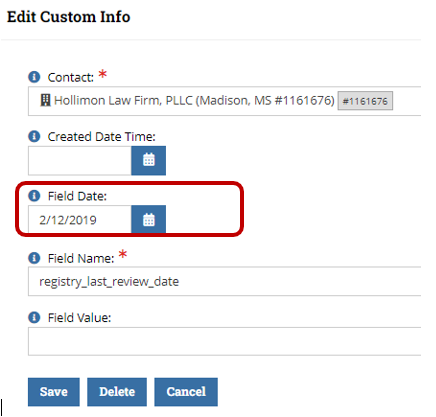
3. When responding to the the agent advise them of the following "Your information has been updated. Please note that since your record is listed in the ALTA Registry (altaidregistry.org), the underwriters that have confirmed your Registry listing will be notified of this change and may update their Registry confirmation. If you have not already done so, contact your underwriters to update your record in their system to ensure there is no disruption to your status in the ALTA Registry."
