How ALTA Member Since Works
If a member lapses even a single year, their Member Since should be the most RECENT Join Date, not their original.
How re:Members (formerly Impexium) Join Date Works
When a change in member type happens from one year to the next, re:Members (formerly Impexium) doesn't recognize that as a single "through" membership. In this case, the new membership Join Date should be changed to the original membership's Join Date which will then flow through to the Membership Directory Member Since year.
The Thaddeus Export "Fix Join Date" shows all organizations where there is a member change from "last year" to "this year" to identify which need to be changed, per instructions below.
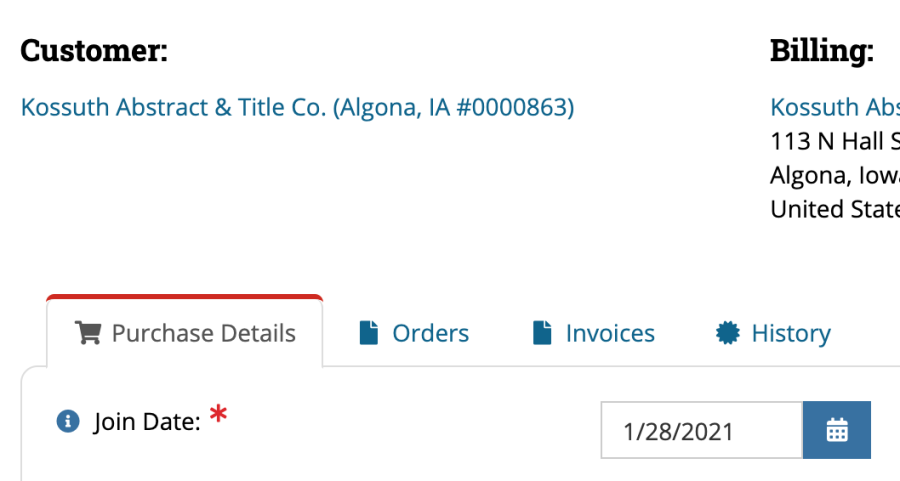
Updating Join Date (Member Since on directory) (credit: Whitney Larman)
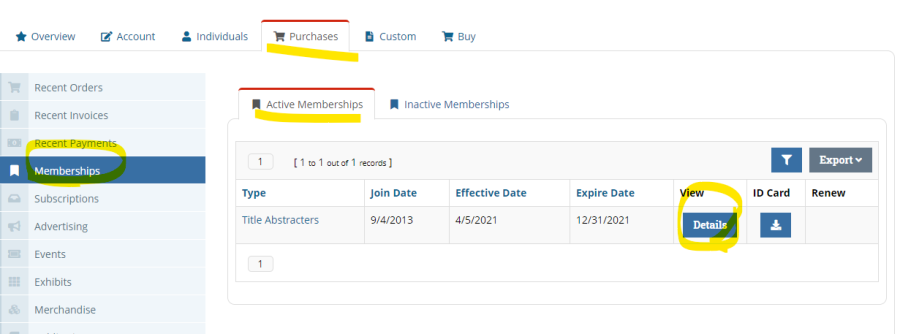
On the report the id number is a hyperlink that you can click on and it will take you to the account in re:Members (formerly Impexium). You can also go to the Purchases tab on account. Memberships on left hand tool bar. You will need to correct the Join Date by clicking on Details of the current membership under Active Memberships.
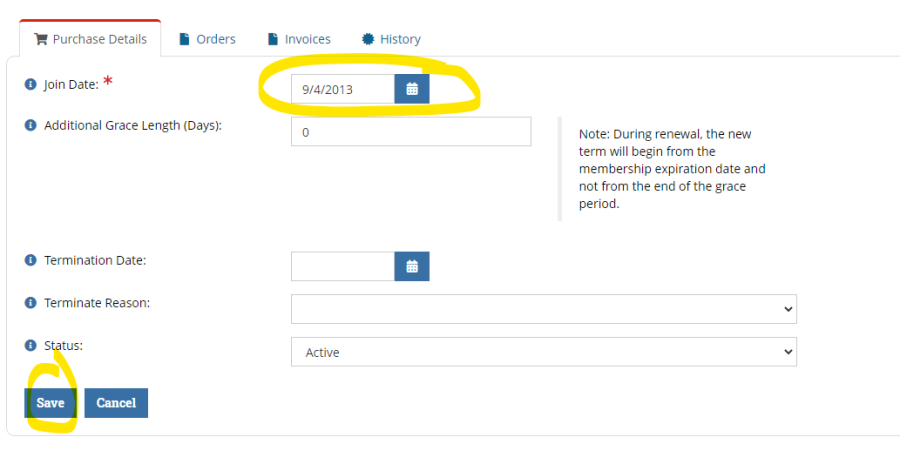
Here is where you will update the Join Date and click Save.
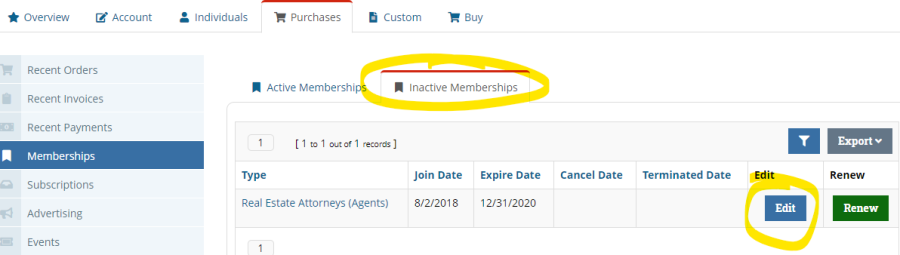
You now need to Terminate the previous membership. Go back to the account and click on Inactive Memberships tab and Edit on the most recent expired membership if there is more than one. ***Notice there is no Terminated Date. If there is already a Terminated Date you do not need to do this step.
Click on Purchase Details tab. Enter the current date for Termination Date. Because they changed membership type the reason for termination is Wrong Member Type Selected.
You also need to change the Status to Cancelled. The below is what the account should look like. Click Save.
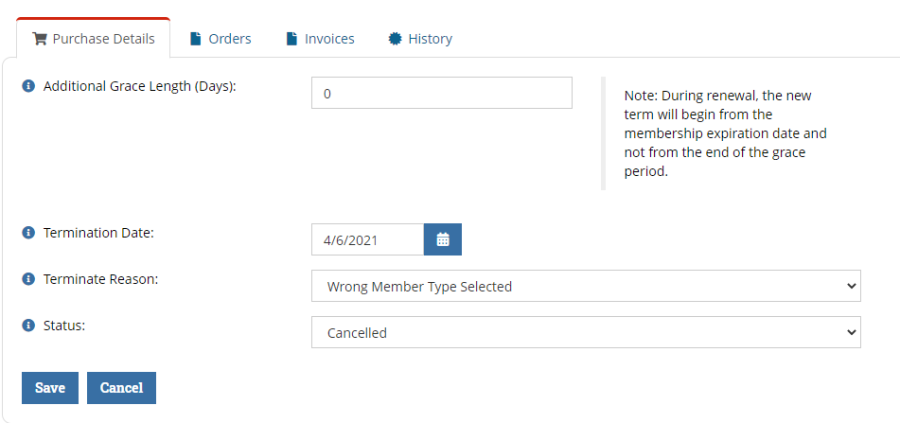
- Go back to the account and confirm you have terminated the previous membership and updated the Join Date on the Active Memberships tab.
Chad's Notes:
Overall, this is a bit of an issue this year since we had some ACB changes, it'll be a bigger issue next year as far more change to B, but then hopefully it'll fall back off since member type changes shouldn't happen very often. But of course, this is an issue with an ACA to REA switch, ACA to AS if it was wrong before, and so on.
It's going to be difficult to have James do a custom "fix it" script for a couple reasons.
So, I've setup an Export on Thaddeus so we can see any records where there was a member type change from PY to CY and the Join Year doesn't match. For now, these will need to be manually "fixed" by editing the Join Date in the CY Membership Purchase Details tab, screen shot below. There are only 53 of these rights now, so it shouldn't take too much time. This is with "Double Records" in the "Data Cleanup" box.
I've put a link to the Org Editing in the Export, so that should at least help jump you to the right location, and once you're on the Active Memberships tab, you can just click through to the Details and edit the Join Date.