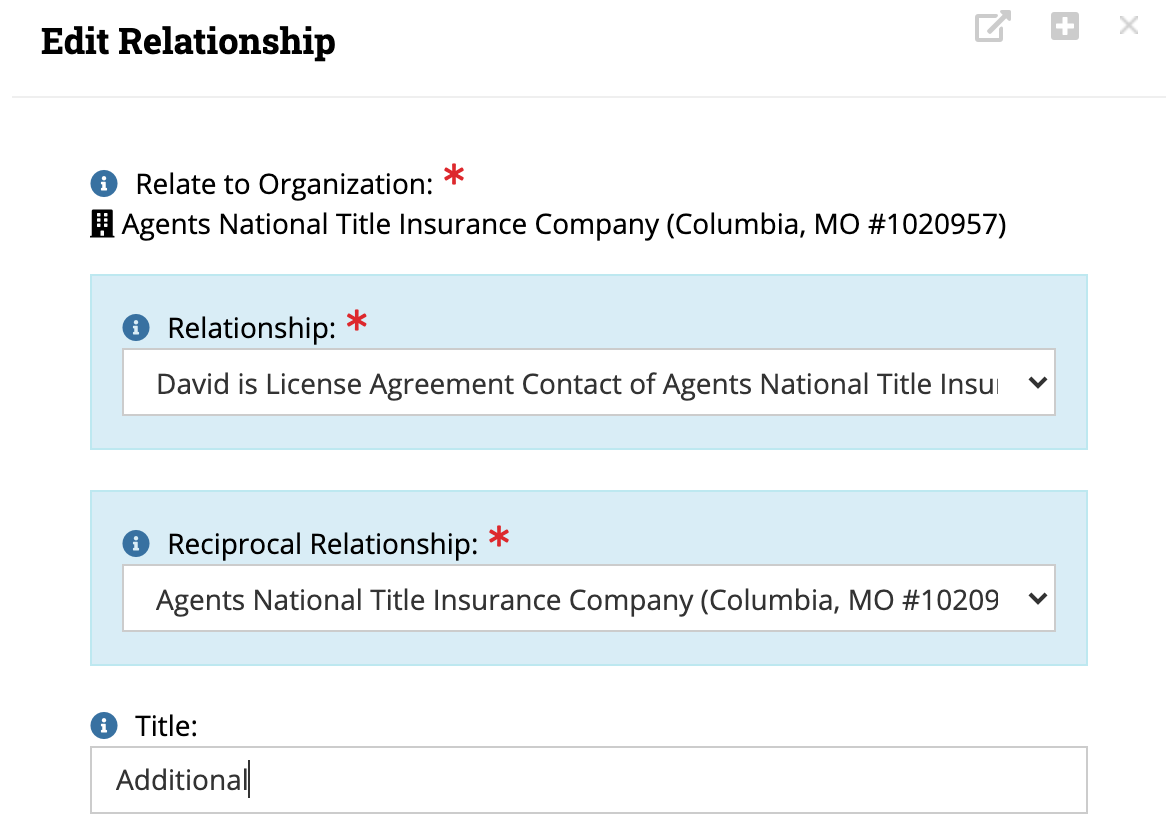
"License Agreement Contact" Relationship
- Use "Additional" or "Main" in the Relationship "Title".
- Use "Organizations Relate to Individual" Query to pull contact list for LAC relationship type.


Intranet Tool
- Chad document tech
- Whitney document process
This page covers the procedures for processing new agent lists at ALTA, focusing on how to configure the "License Agreement Contact" (LAC) relationship in the system and the roles responsible for the associated Intranet Tool. It is intended for staff who onboard new agents and manage contact relationship records.
"License Agreement Contact" Relationship
Intranet Tool
 Made with DASH A.i.
When setting up a License Agreement Contact (LAC) relationship, staff must correctly assign the relationship title and use the right query to pull the correct contact list. Getting these two steps right ensures the LAC record is properly linked between organizations and individuals.
Key points:
Before saving the relationship record, double-check that the Title field is populated with exactly "Additional" or "Main" (case-sensitive entry may matter depending on your system setup). Leaving it blank or using a custom value could cause the record to be excluded from LAC query results.
Made with DASH A.i.The Intranet Tool section identifies the two staff members responsible for this area, with a clear split between technical and process ownership.
Key points:
In practice, if you have a question about how the tool works (system behavior, technical setup), Chad is your point of contact. If your question is about how to follow the workflow or what steps to take, reach out to Whitney. Keeping these lanes clear avoids documentation gaps.
0 files attached to this page