Courtesy of the ALTA Membership & Licensing Department
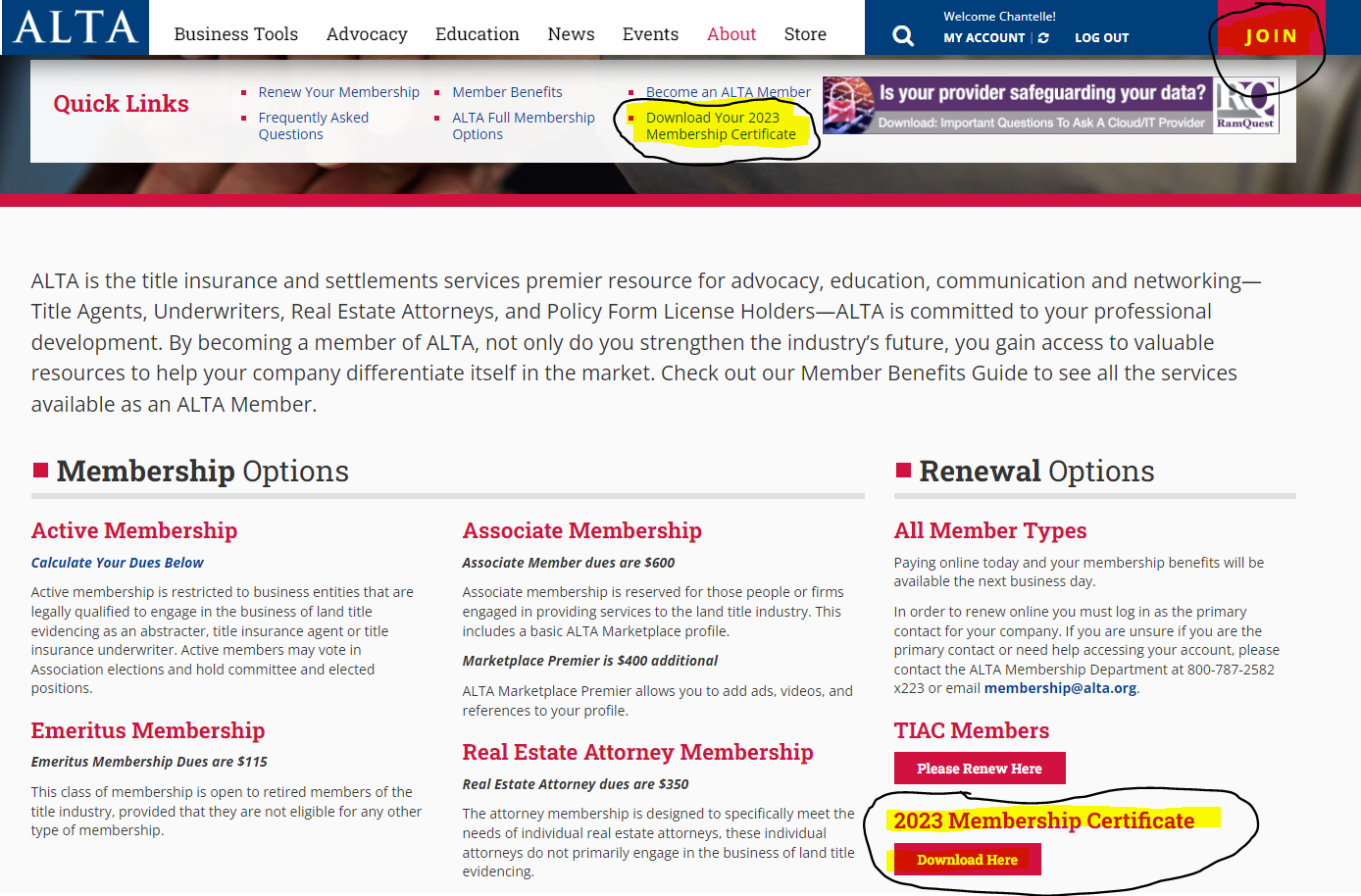
A member may log in (or a staff user may use the Impersonation process to access the member account THEN log into the website), click on the Join button the top right. You will then see you can download your Membership Certificate in 2 places
-
Quick Links
-
Renewal Options
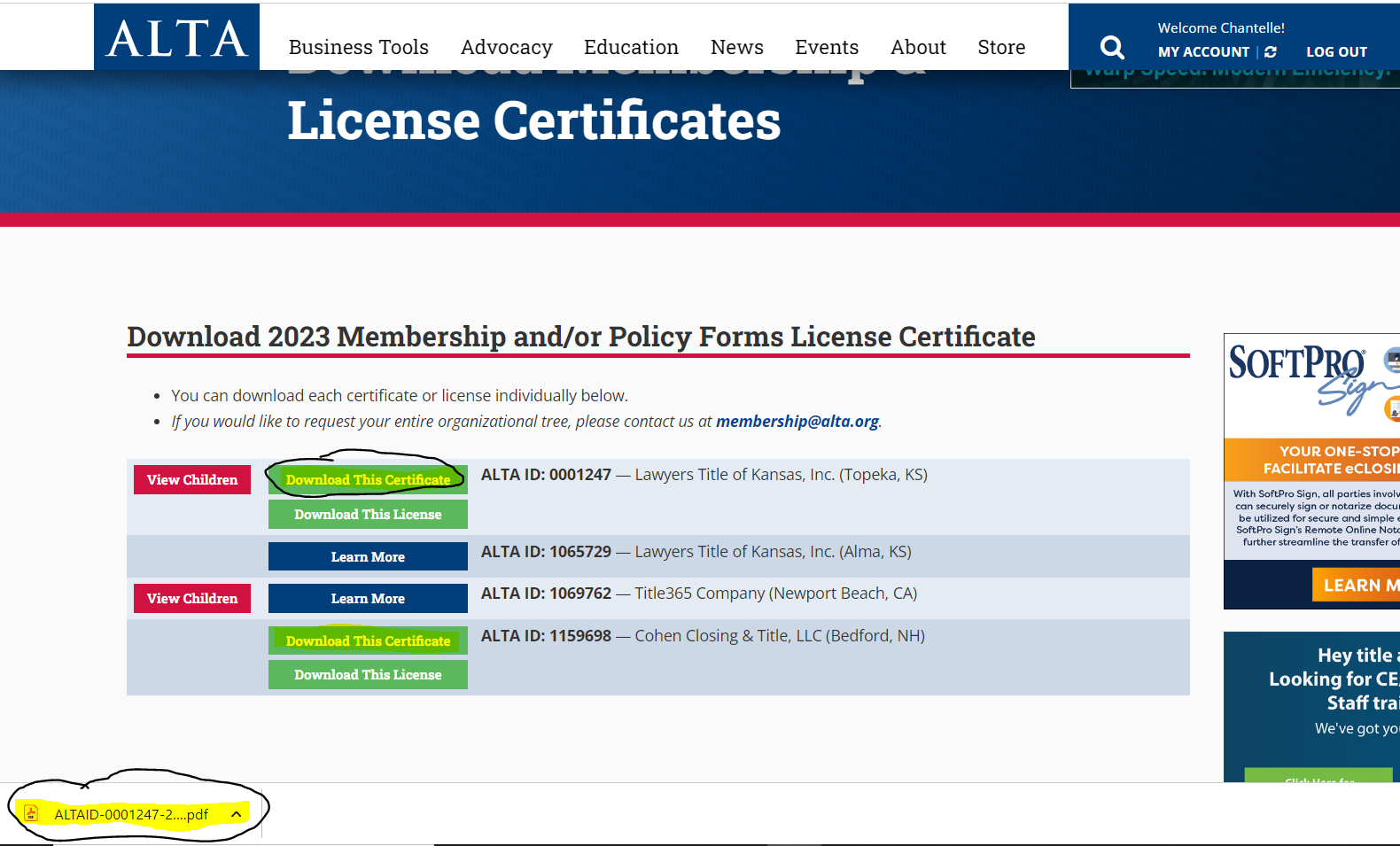
Once you click on the link you will be directed to the download page. Please click on Download This Certificate & your certificate will automatically download to your computer.
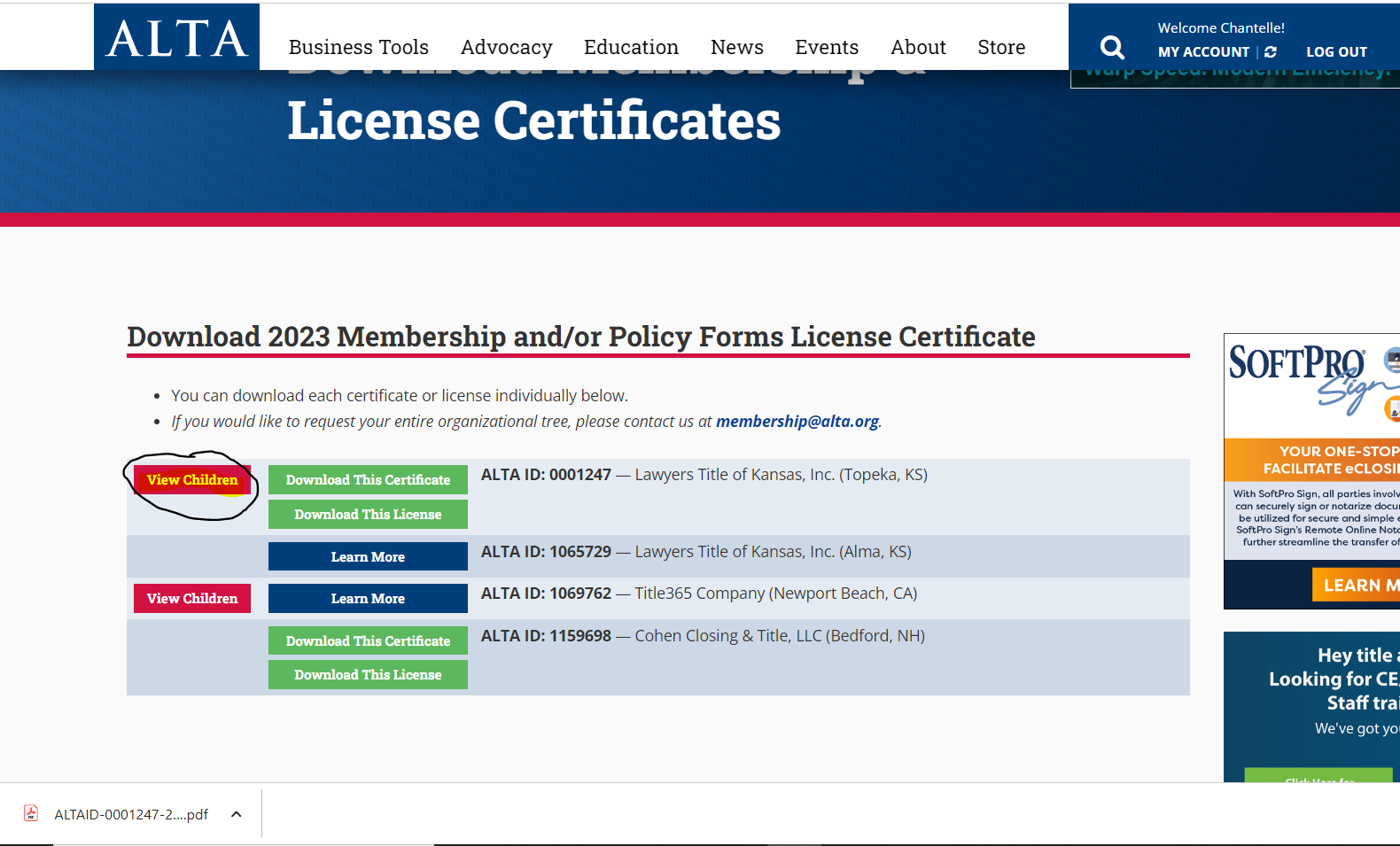
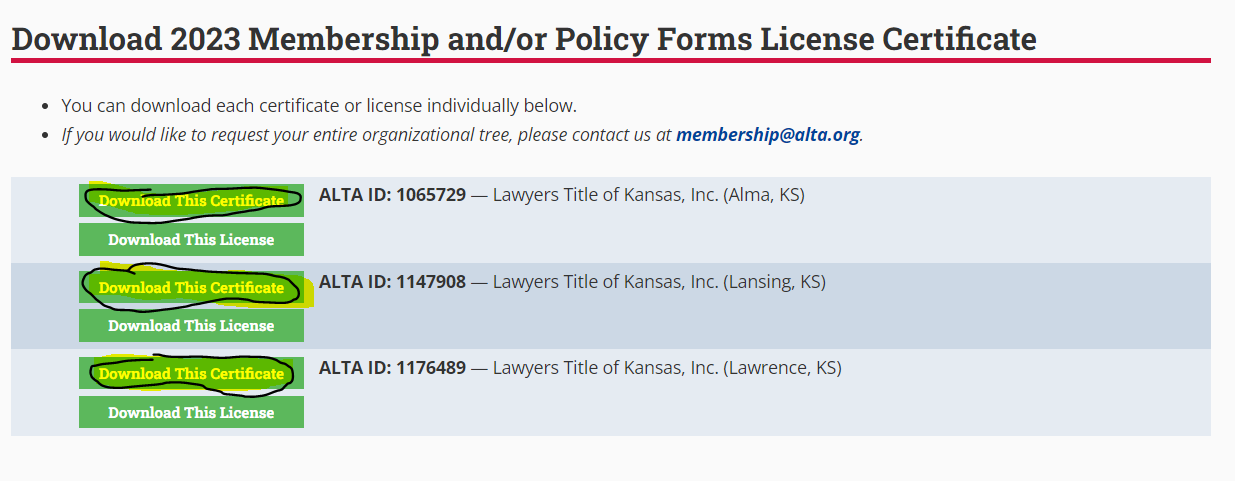
** If you would like to download the certificates for your subsidiaries, please click on View Children. Here, a list of your subsidiaries will reflect & you may choose which certificate you would like to download.