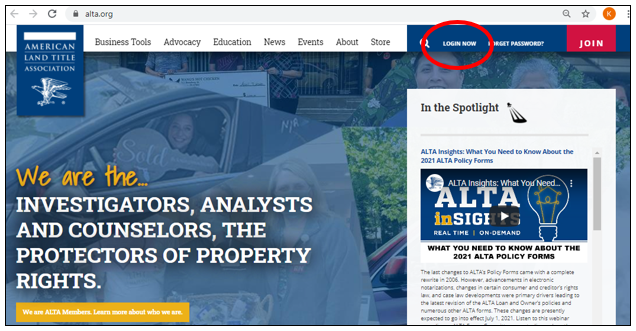
- Visit www.alta.org and select LOGIN NOW.
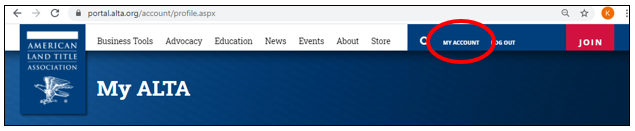
- After login, select "MY ACCOUNT."
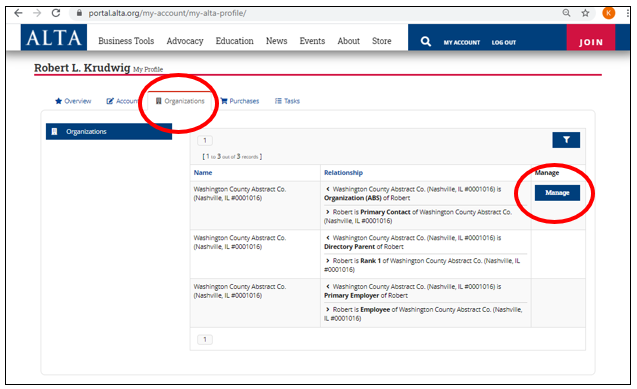
- Be sure you are viewing the "Organizations" Tab and select the "Manage" button for the Organization whose Policy Forms License you wish to renew.
- On your Organization's record, choose the Purchases Tab, then the Subscriptions option from the choices on the left side,
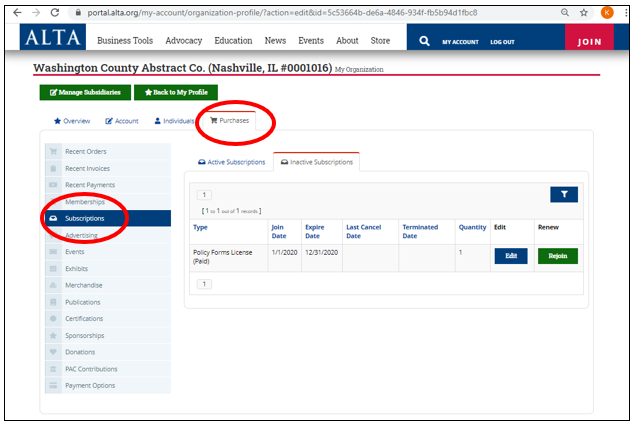
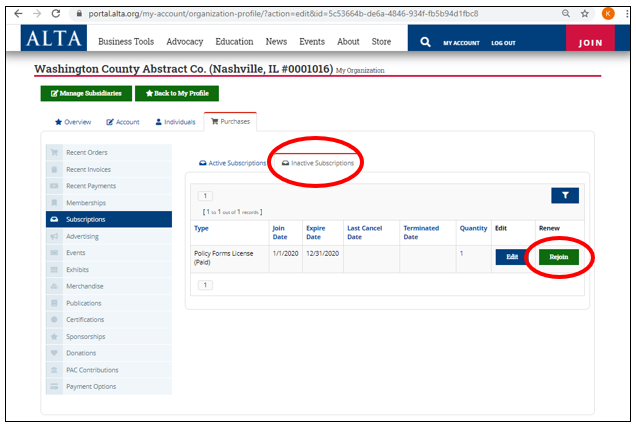
- Choose the Inactive Subscriptions Tab and find the Policy Forms License record you'd like to renew
- Click on the "Rejoin" button.
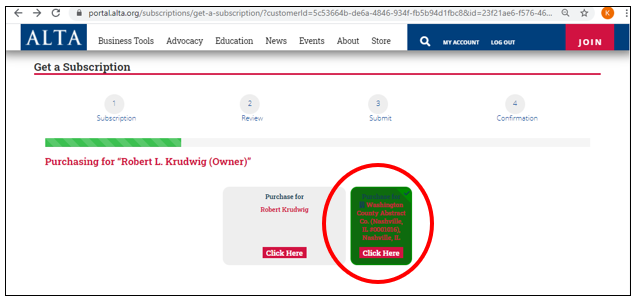
- You should purchase the Policy Forms License for your Organization.
- Find the tile for your Organization and select "Click Here.
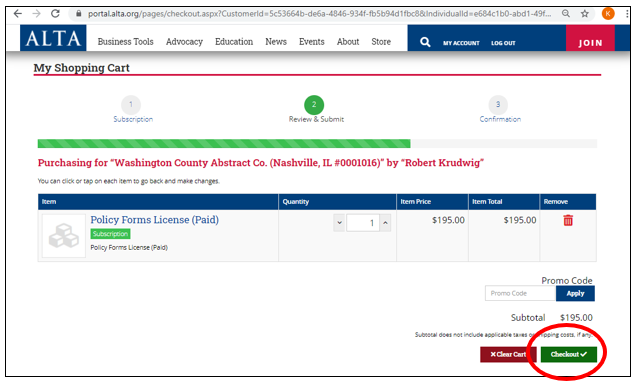
- Click the "Checkout" button and proceed with the checkout process.