Full Title: How to Process Partial Refunds
Short Description: Processing partial refunds without cancelling the full transaction. Please note that a "Balance Due" will remain for the account at the conclusion of this process. Accounting personnel will need to perform a "write off" to clear that balance due.
Business Rules:
Partial refunds should be processed on transactions where the transaction should NOT be cancelled. Ex. If a member has overpaid for a meeting registration or education course and we would like to reimburse the difference without cancelling out the actual registration completely, the following steps should take place:
Search for the Individuals or Organizations Record and select to open.
Select the Purchases Tab on the record.
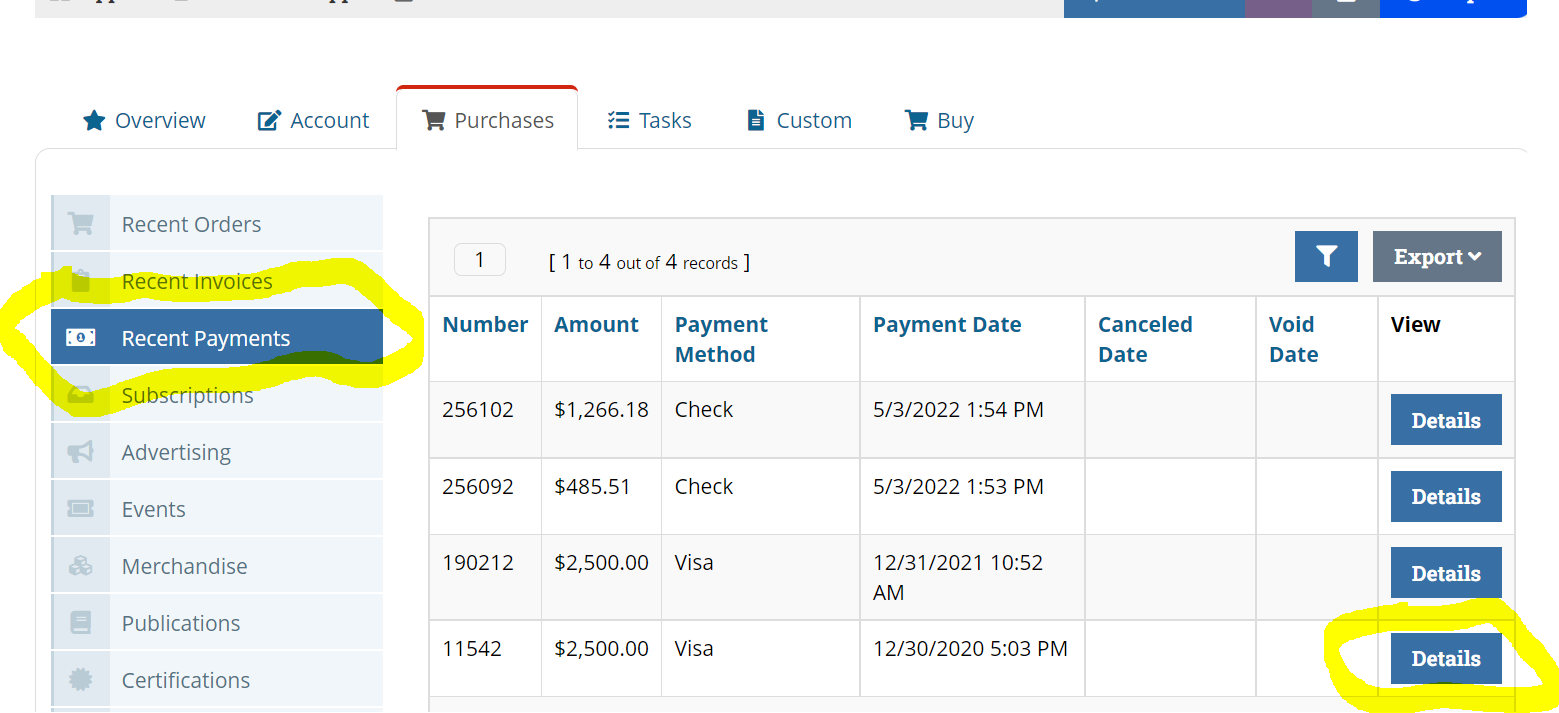
Select "Recent Payments" tab in order to access the "Return Payments" option. Next select the "Details" tab to the right of the invoice that the partial refund will be processed for.
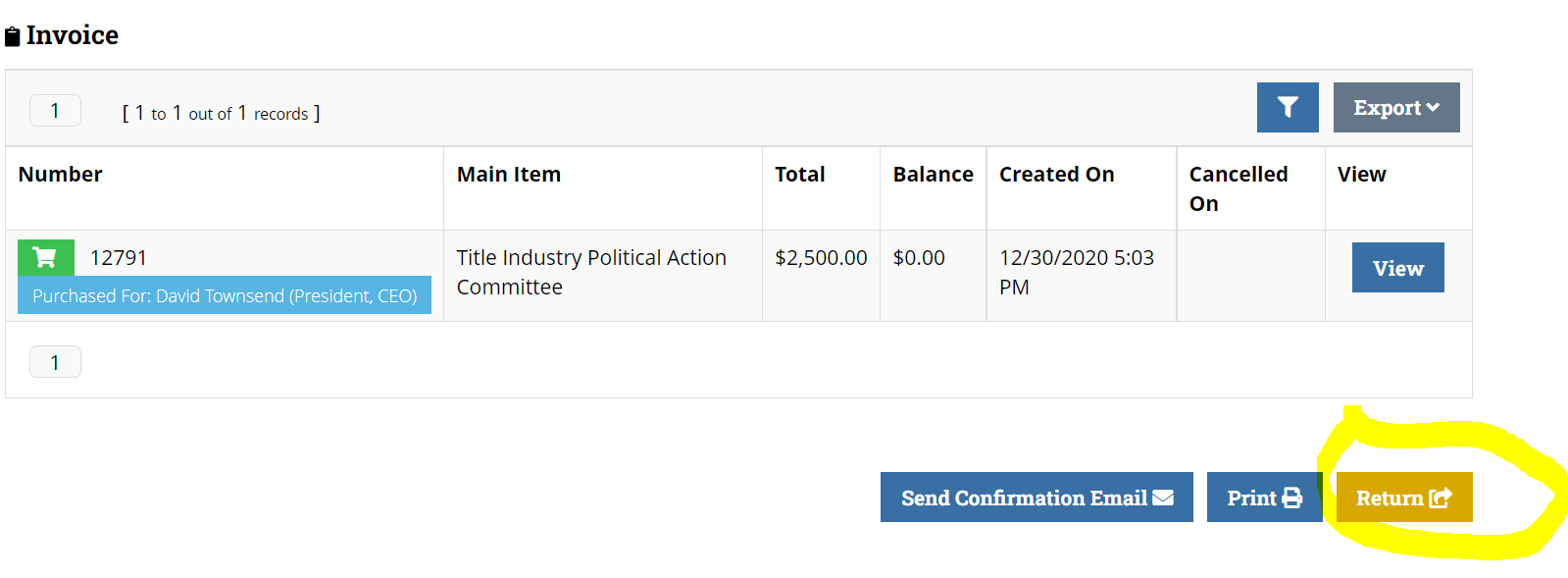
Scroll to the bottom of the invoice and select "Return".
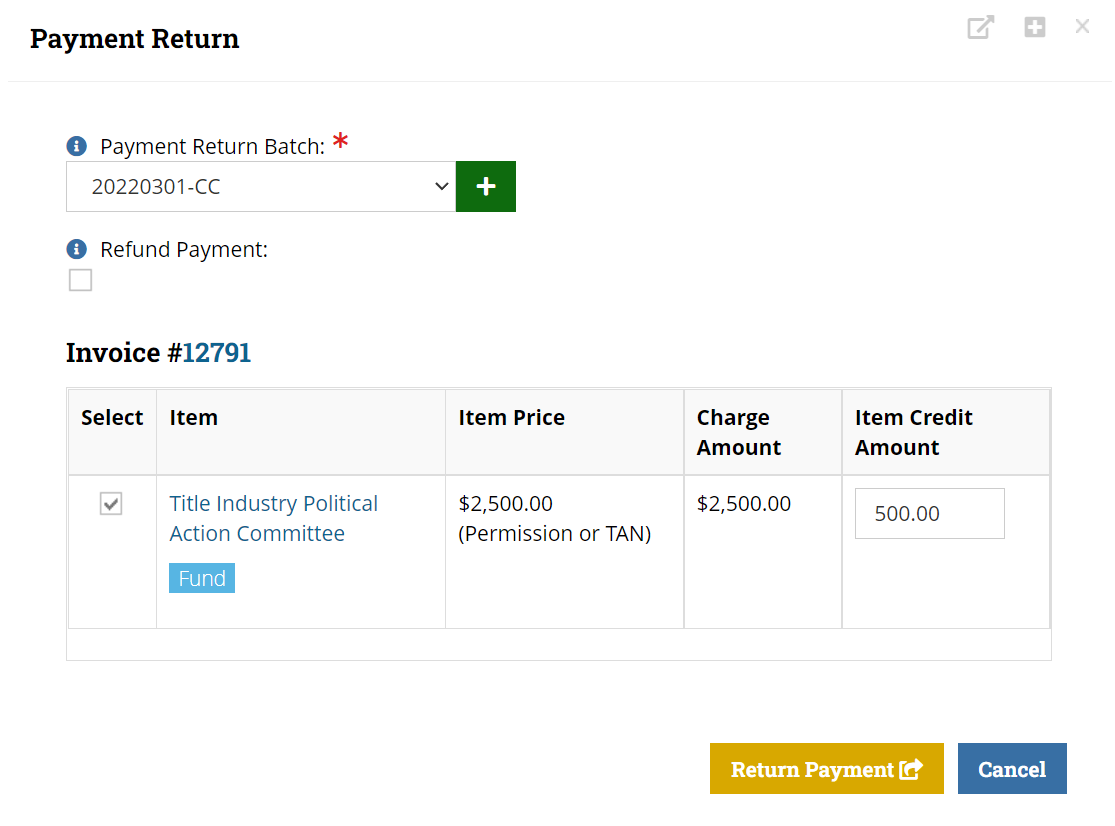
A pop up box will appear that prompts you to select the "Return Batch". (Note: Check w/ Jowanda for the accurate designated return batch at the time of processing.) Uncheck the "Refund Payment" box. This will automatically opt in to creating a credit on the record. Select the box next to the item that requires that credit adjustment. Once the box is selected, the "item credit amount" box will become available to edit and enter the amount that is to be refunded. Select "Return Payment" to complete.
Once you've selected "Return Payment", the credit will be automatically created. The confirmation screen will appear showing the original invoice with a "credit" section listed below it. The credit is available for use immediately following and can be applied to any ALTA purchases. It will appear in the payment processing portion of the checkout process.
NOTE: The steps to processing a partial refund does not cancel the purchase in it's entirety. Due to this process, the amount that has been partially refunded will also appear as a due balance for the product purchased. In this case, please submit a write off request to Jowanda to clear the unpaid balance.
