Setup
Every event needs to have three things added via "Itemized Custom Fields" in re:Members (formerly Impexium). This needs to be done buy someone with admin level access, however, if it's in an existing event, it will be carried along with the "Copy Event" tool.
If an event is added from scratch, then a ticket should be generated to ask IT to add these.
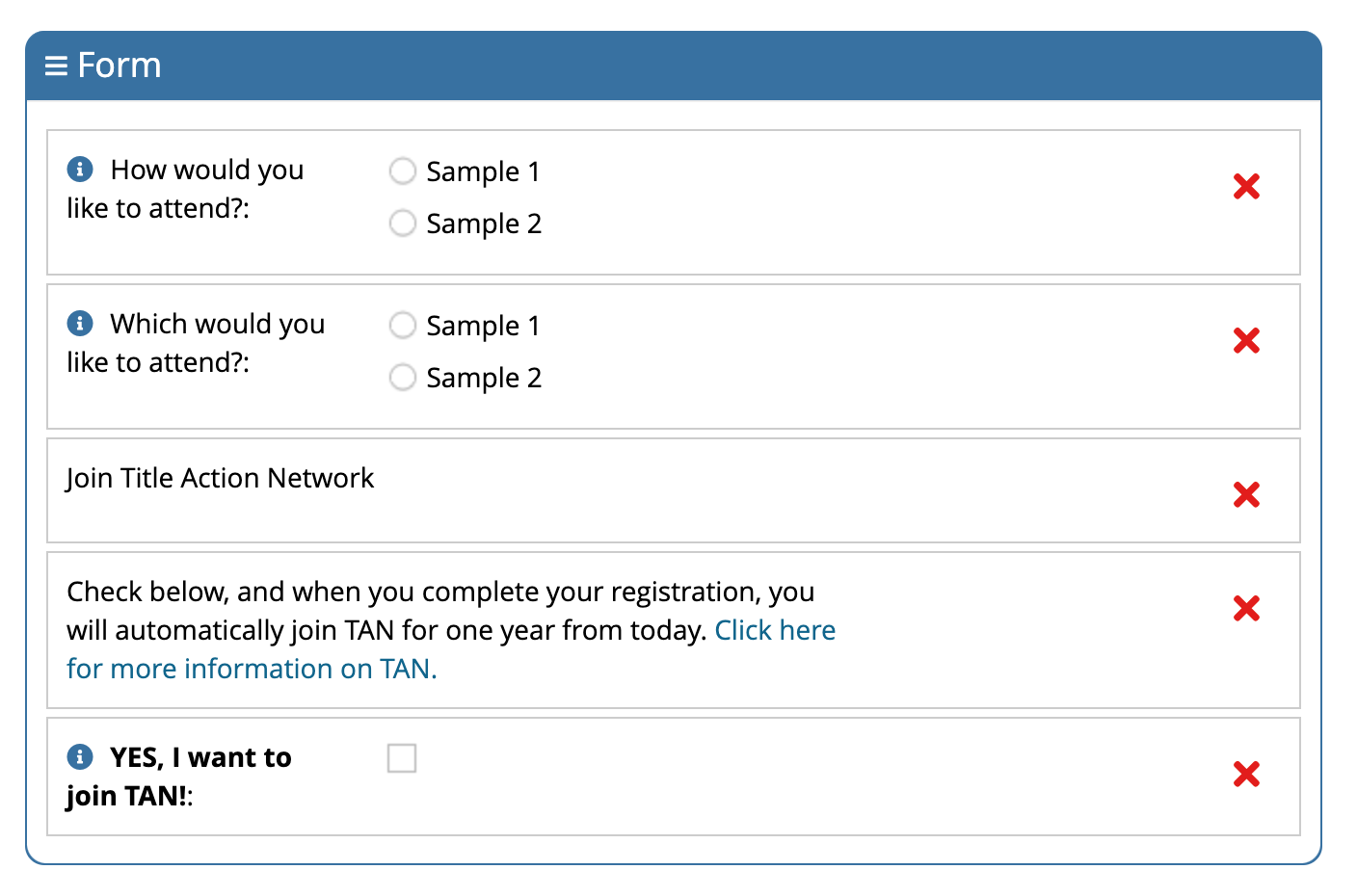
The three fields are setup as follows, and should be below any other custom fields specific to the event, sample setup below.
-
Header
-
Drag "Header" under "UI Elements" on the left into the "Form".
-
Set the text (small box) to "Join Title Action Network".
-
-
Instructions
-
Drag "Label" under "UI Elements" on the left into the "Form".
-
Set the text to the following, which includes HTML code:
-
Check below, and when you complete your registration, you will automatically join TAN for one year from today. <a href="https://www.alta.org/tan">Click here for more information on TAN.</a>
-
-
Field
- Drag "YES, I want to Join TAN!" under "Individual" on the left into the "Form"
Once Saved, go to start the purchase of the event for yourself (or anyone) and you should now see the question as the first step before the rest of the shopping cart system.
Functionality
A custom script that runs with the overnight processes does the following:
-
Loops through anyone with that field checked off.
-
Creates a TAN "Subscription" in the Custom Data Table method for a year.
-
Sets the value of the field to be unchecked for the next time.
-
Sets the value of "Has Current TAN Subscription?" to yes so that it's immediately available in the individual's profile. (For TIPAC, etc. would be set automatically the following day if not.)