Full Title: DBA (Doing Business As) Field Entry (MANDATORY)
Short Description:
Business Rules:
- On the organization record, select the "Account" tab on the top horizontal menu, and then "Organization Info" on the vertical sub-menu to the left.
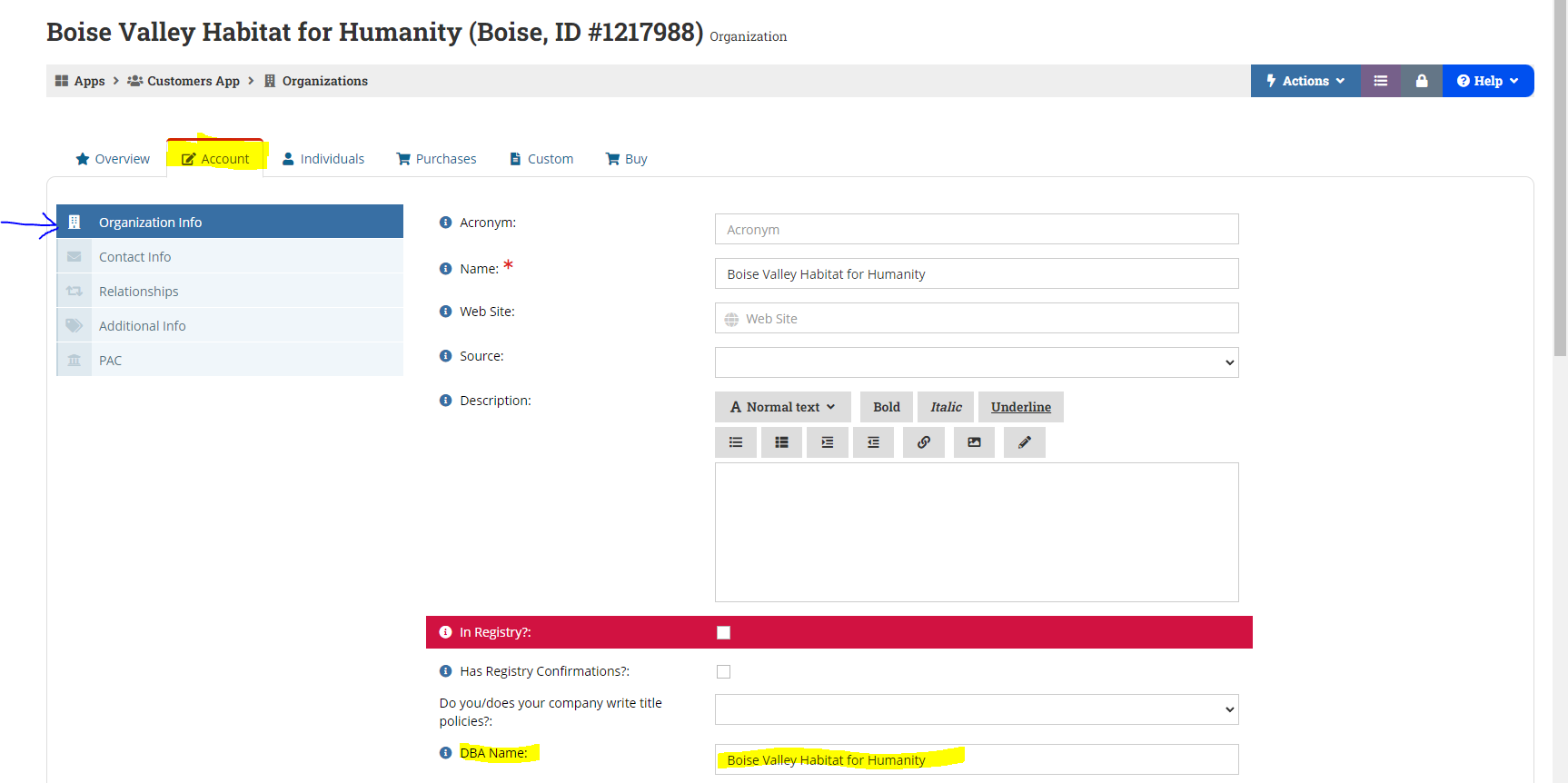
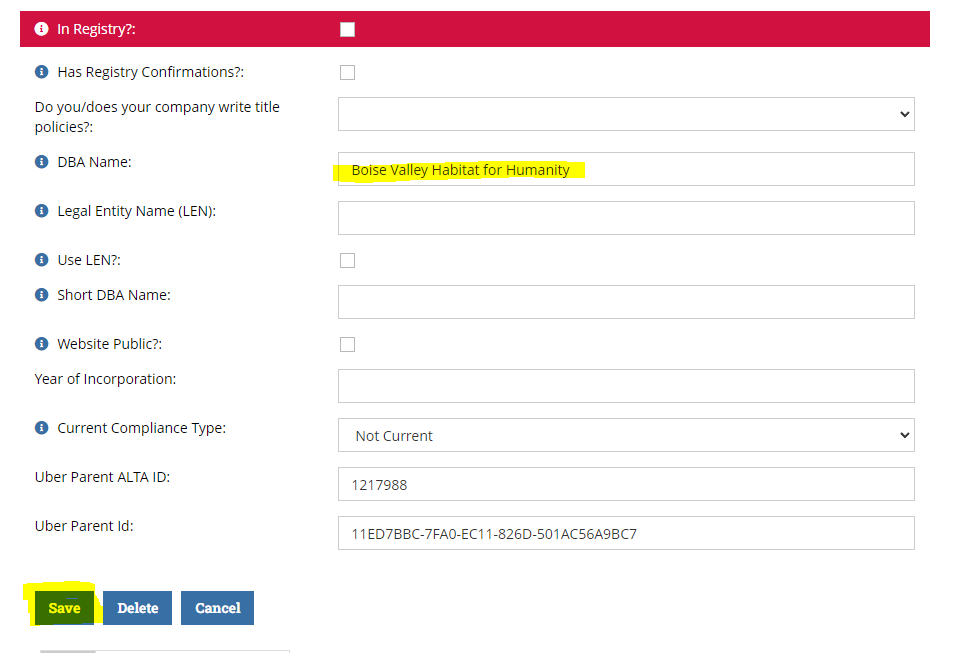
2. When you get to this page, scroll down to the "in Registry" section highlighted in red (the red highlight is automatically set to appear as such in re:Members (formerly Impexium) until you see the "DBA Name'. Enter the organization's DBA name as instructed per Org or enter the Business name used to
create the record as a default. Once entered, select "SAVE" at the bottom left hand corner.
Tips | Tricks | Hints:
Text | Images | Step-By-Step:
Other Commentary:
Keywords:
Related SOPs:
Adding New Organization Record
